Connect Stripe before requesting card payment
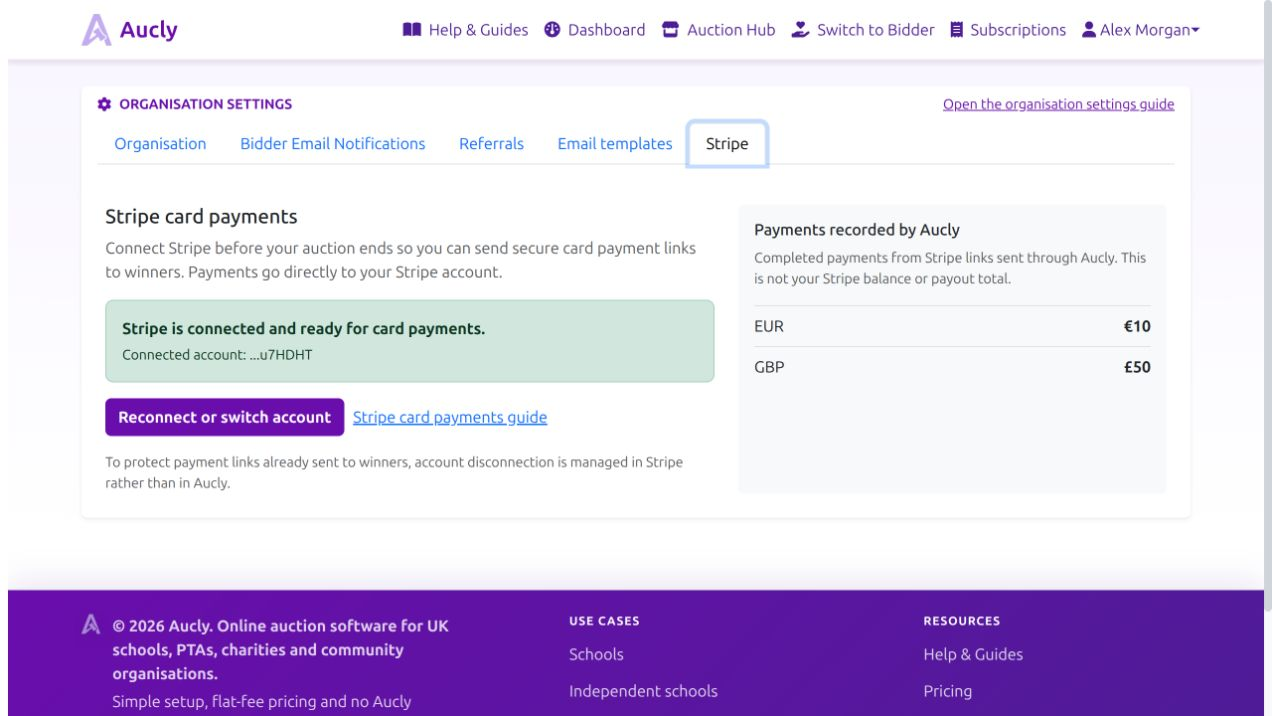
Open Organisation settings and choose Stripe, or open Collect Payments and select Connect Stripe. Complete the Stripe onboarding steps for the account that should receive the auction money. Winner payments move directly into the connected Stripe account; Aucly does not hold them. Reconnecting replaces the Stripe account used for future payment links, so check the account before continuing.
Aucly's auction hosting fee pays for scheduling the auction and is separate from winner payments. Aucly does not deduct a transaction fee or commission from a winning bid. Stripe's card-processing fee applies when a winner pays by card and is shown in Stripe.
If onboarding is incomplete, reconnect and finish the missing Stripe steps. Stripe connected appears when Aucly can create charges.
Send the winner a payment link
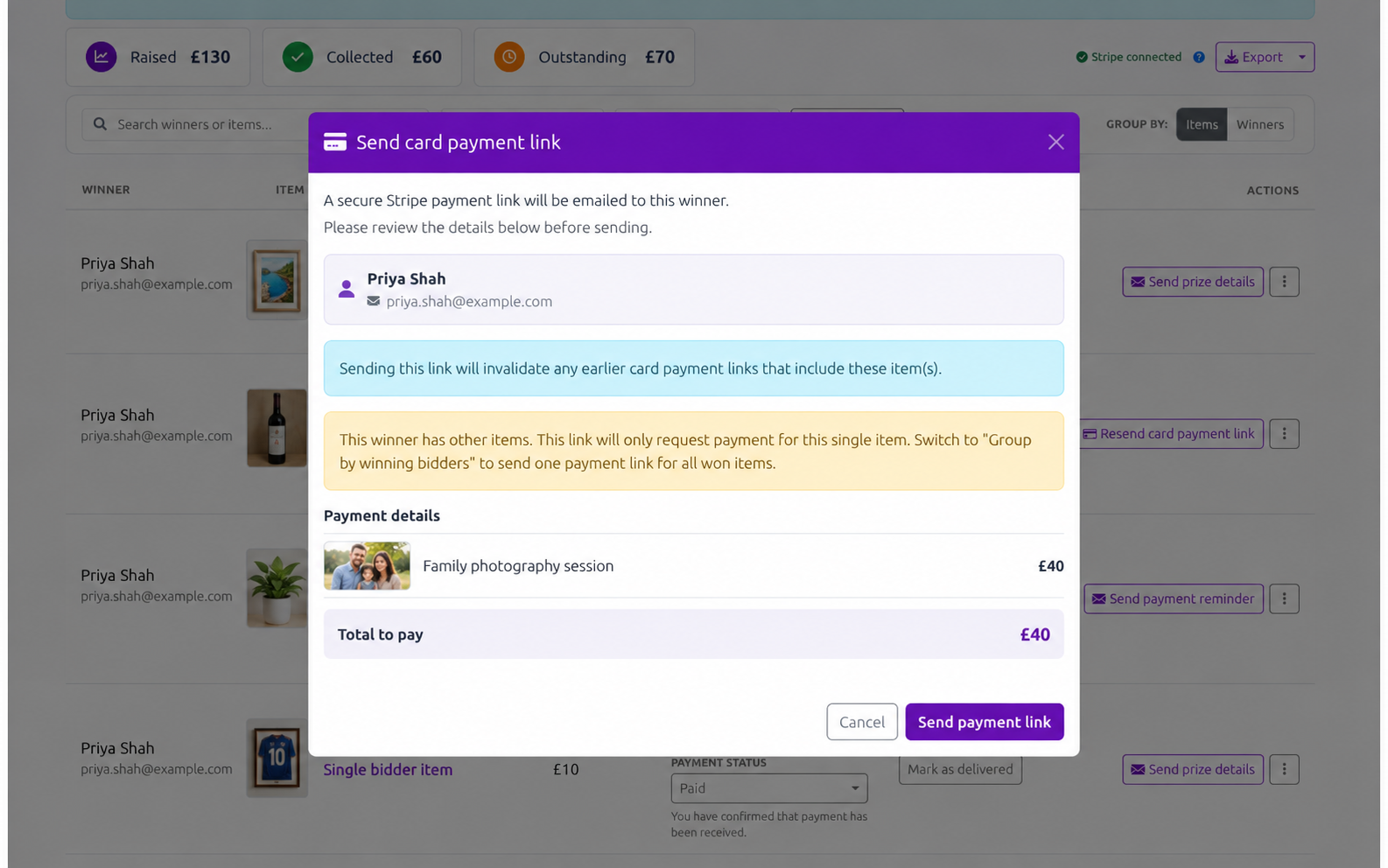
For an unpaid item, open Payment method, choose Card (Stripe) and select Save. The item's main action becomes Send card payment link. Open it to review the winner, included items and Total to pay in the auction's currency, then select Send payment link. Aucly does not convert the amount.
Use Resend card payment link when the winner needs another message. Sending a replacement invalidates earlier links containing the same items, so ask the winner to use the latest link.
How the status changes
After the email is sent, Collect Payments shows Stripe link sent. Aucly waits for Stripe's payment notification and then changes the item to Paid via Stripe; organisers cannot manually select that Stripe-paid state.
Aucly records the link and payment status against the item, not the Stripe balance, processing fee, refund, dispute or bank payout. Check those in Stripe. Payment and handover are separate, so use Mark as delivered after collection or delivery.
Payments received outside Stripe must be recorded manually. Change Payment method to External payment (outside Aucly), save it, and mark Paid only after confirming receipt. Sending an external request requires saved organisation-wide payment instructions; sending a Stripe card-payment link does not.
Refunds and disputes
Refunds and disputes are the organisation's responsibility and are managed in Stripe. They do not automatically change Paid via Stripe in Aucly. Check the charge, keep the bidder informed, and contact Aucly support if the Aucly record needs reconciling. History shows the changes Aucly has recorded.
Your next step
When Stripe shows as connected, return to the auction. If bidding has ended, open Collect Payments and send a card payment link to one winner at a time. Review the winner, items and total before sending.