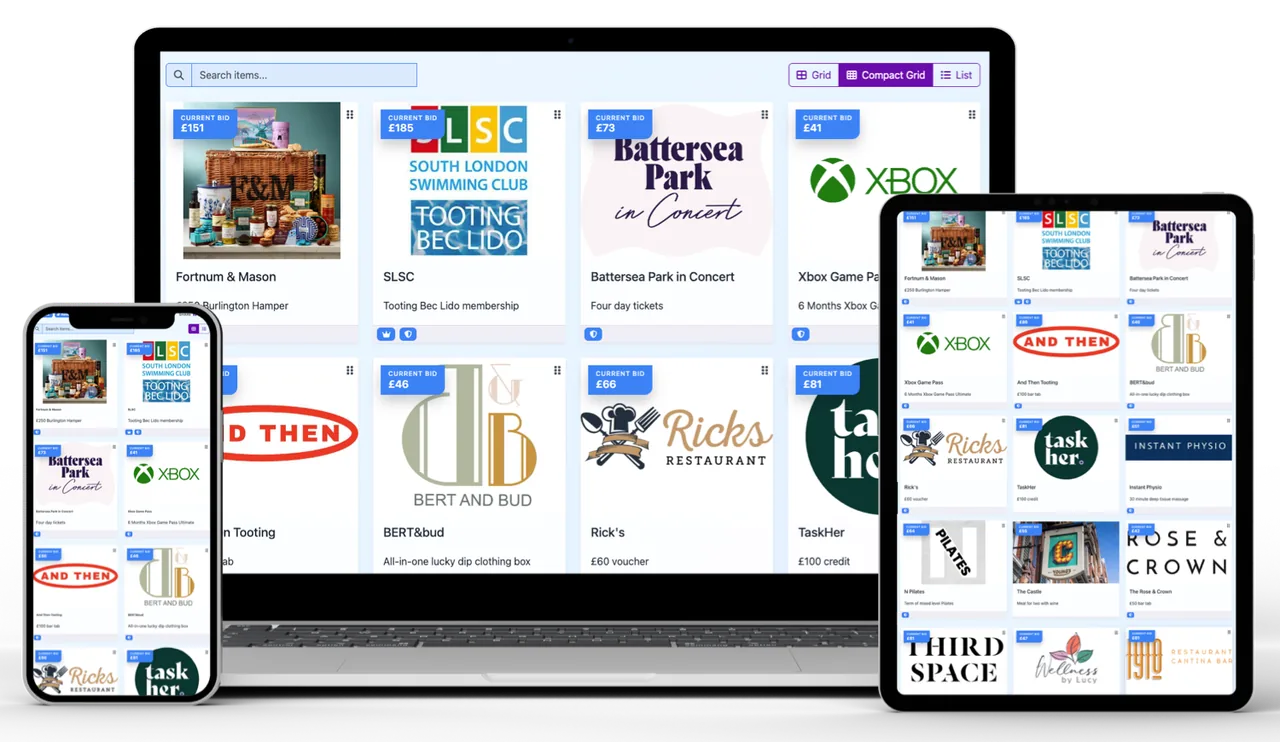
One prize catalogue, ready to browse on the screens your supporters already use.
Before, during and after
A clear auction journey for your event
Prepare prizes, invite guests to bid, then follow up with winners when bidding closes.
Before the event
Open bidding before the event
Set the auction schedule, then share its link or QR code ahead of the event. Supporters can browse prizes and place bids from their phone or computer before guests arrive.
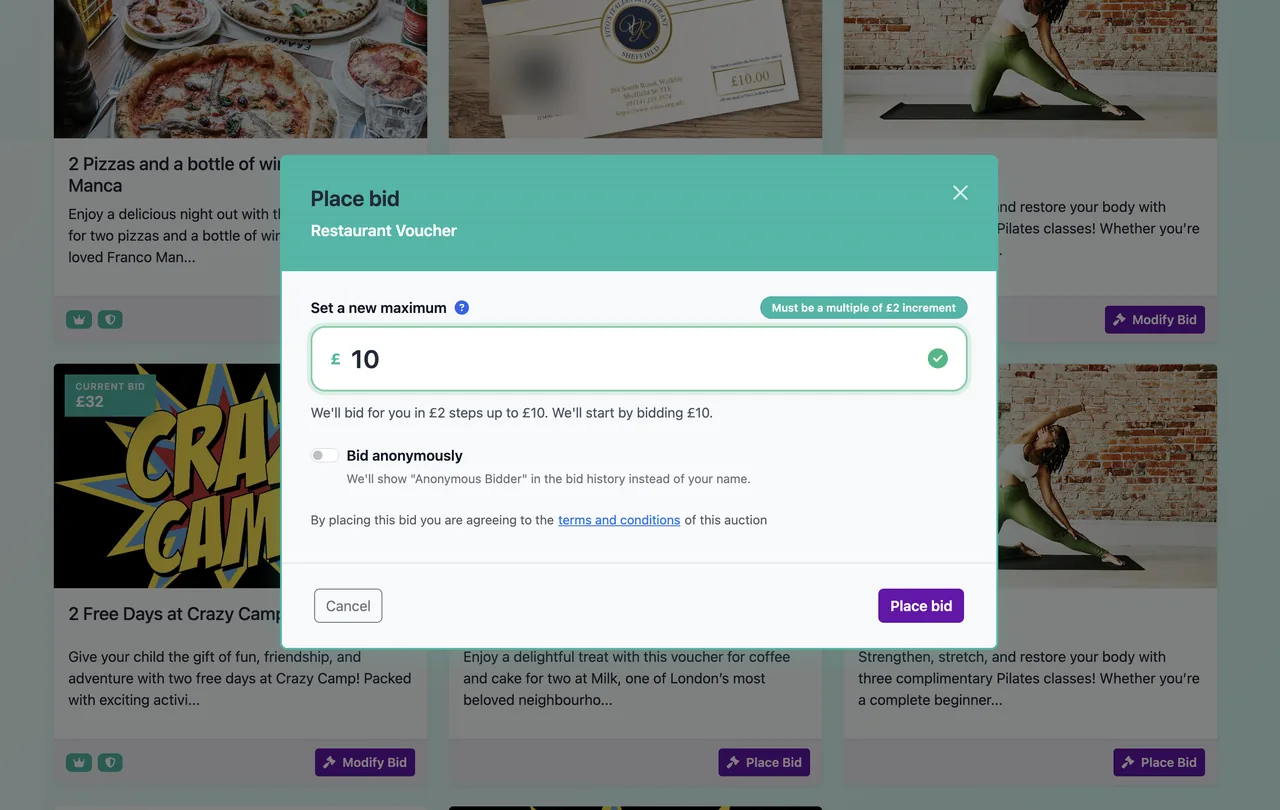
Aucly’s proxy bidding lets supporters set a maximum bid, while outbid email notifications give them the chance to come back and bid again.
Supporters can browse prizes and bid in their browser before the event begins.
During the event
Bring mobile bidding into the room and beyond
Guests in the room or joining remotely can open a link or scan a QR code and bid in their browser. No app download is needed.
Aucly’s proxy bidding lets supporters set a maximum bid. The outbid email notifications help them decide whether to bid again.
Show Event Display on a shared screen for the auction banner, prize photos, bidding status and raised total.
Keep guests in the room engaged with live bidding and Event Display on a shared screen.
After the event
Close bidding and follow up with winners
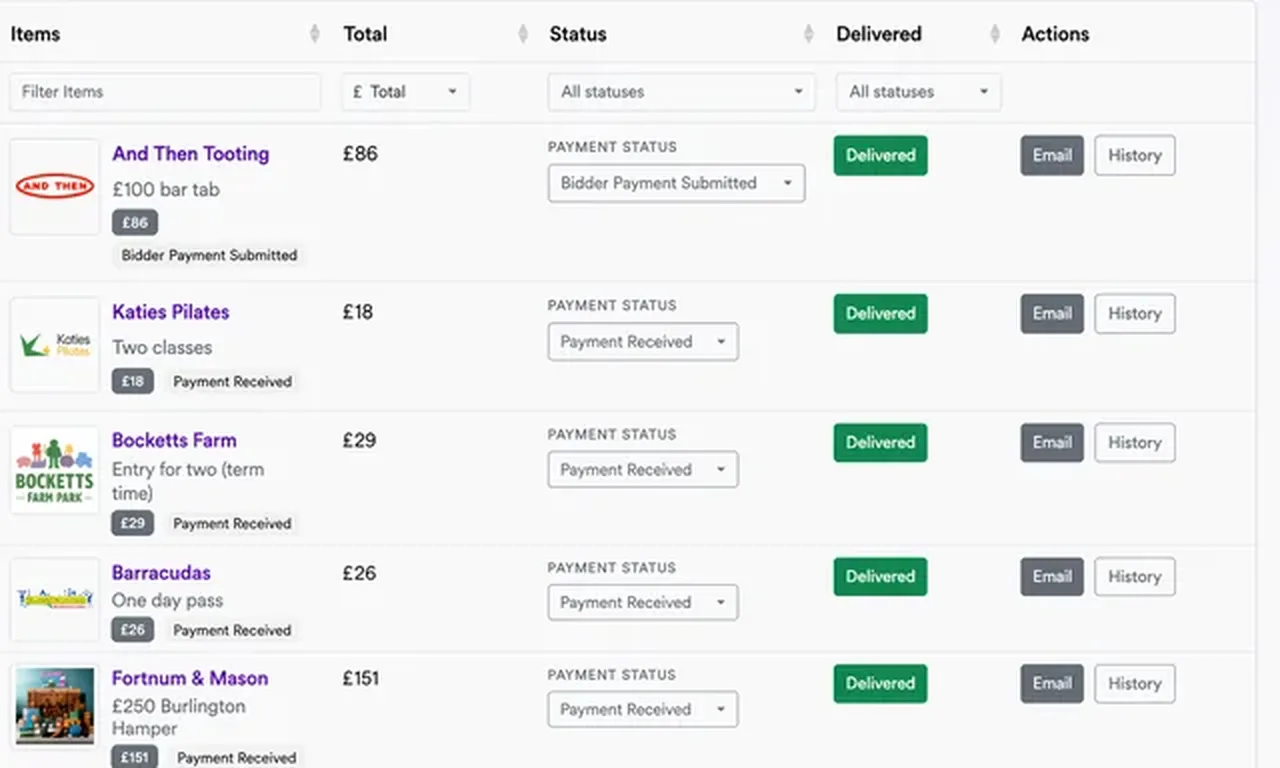
Use Collect Payments to review winning items, totals, payment status and prize delivery, then contact winners with your next steps.
With external payment, winning bidders pay your organisation directly using the instructions you provide. If you enable Stripe card payments, funds go to your organisation’s connected Stripe account and Stripe’s standard processing fees apply.
Keep winner payment and prize-delivery follow-up together in Collect Payments.
Questions organisers ask
Online bidding for fundraising events
Yes. Add Aucly's online silent auction to a charity dinner, gala, school fair, golf day or other fundraiser. It works alongside the event your team has already planned.
Yes. Share the auction link or a QR code that points to it. Guests can open the auction in their phone browser, browse the prizes and place bids.
Yes. Set the auction schedule and share the link ahead of your event. Supporters can browse and bid before and during the event, while bidding is open. After it closes, manage winners, payment and fulfilment.
With external payment, winning bidders pay your organisation directly using the instructions you provide. If you enable Stripe card payments, the funds go to your organisation’s connected Stripe account and Stripe’s standard processing fees apply.
Ready for your next fundraiser?
Bring online bidding to your next event
Build a prize catalogue, share the auction and give guests in the room or at home an easy way to take part.