Open the auction form
From Dashboard:
- Select Create new auction to start an empty draft.
- Open an auction's actions menu and select Edit Auction to change an existing auction.
- Select Duplicate to use an earlier auction and its items as the starting point for a new draft.
The same two-step form is used for creating, editing and duplicating: Basic info, then Appearance.
Complete Basic info
- Enter a Title that identifies the event or cause.
- Choose Currency: GBP (£), USD ($) or EUR (€). Your organisation setting supplies the default, but each auction has its own currency.
- Optionally enter an Auction URL path (optional). Use letters, numbers and hyphens; the preview shows the resulting address.
- Add a Description (optional) explaining the cause and what the funds will support.
- Expand Auction Terms & Conditions (optional) if bidders need collection, delivery or eligibility information.
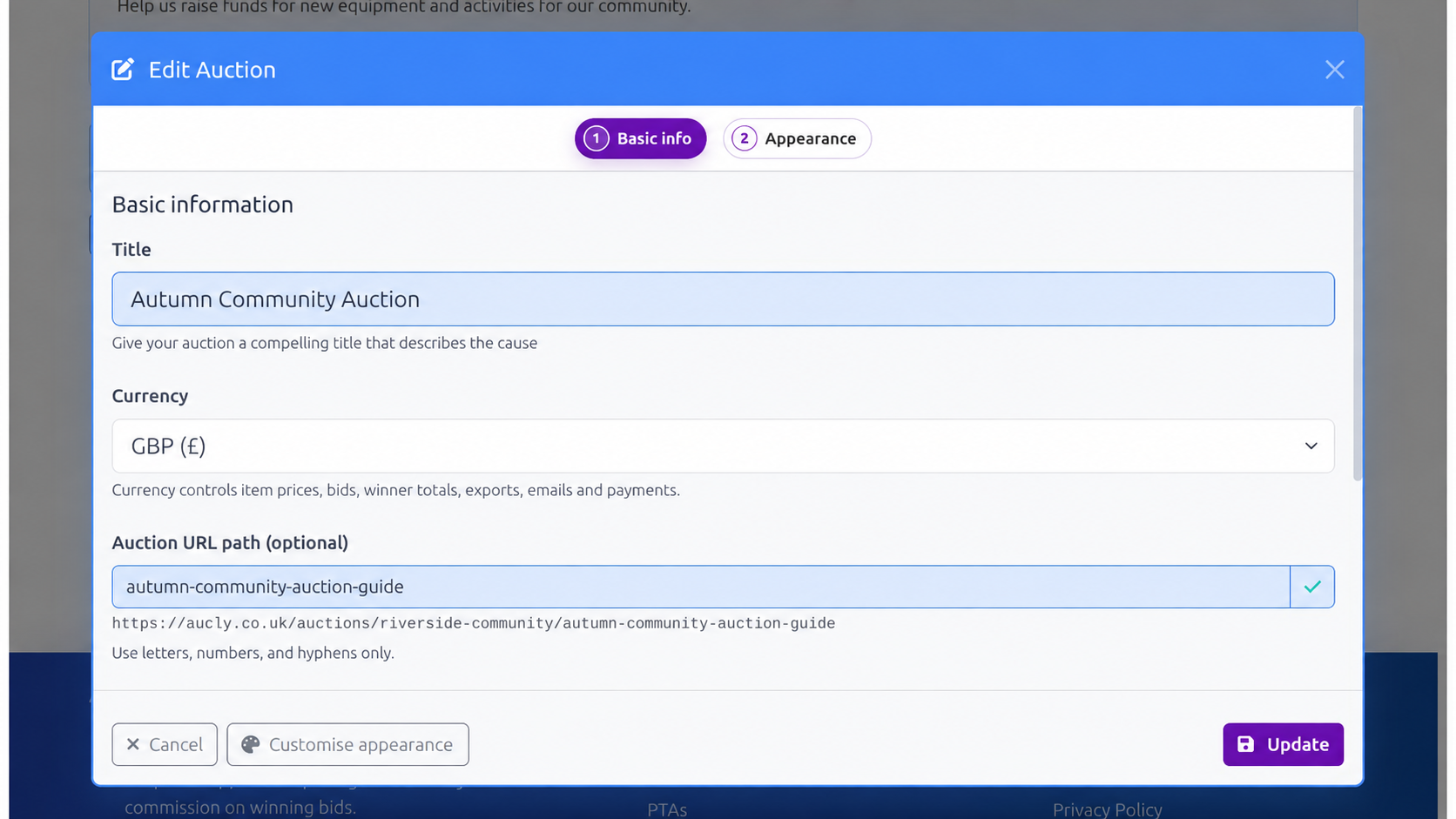
Currency controls item prices, bids, winner totals, exports, emails and payments. If you change it while the draft already has prices, those prices keep the same number with no currency conversion: for example, £10 becomes €10. Currency cannot be changed after the auction has been scheduled or financial activity has occurred.
Prepare the banner image, then choose its layout
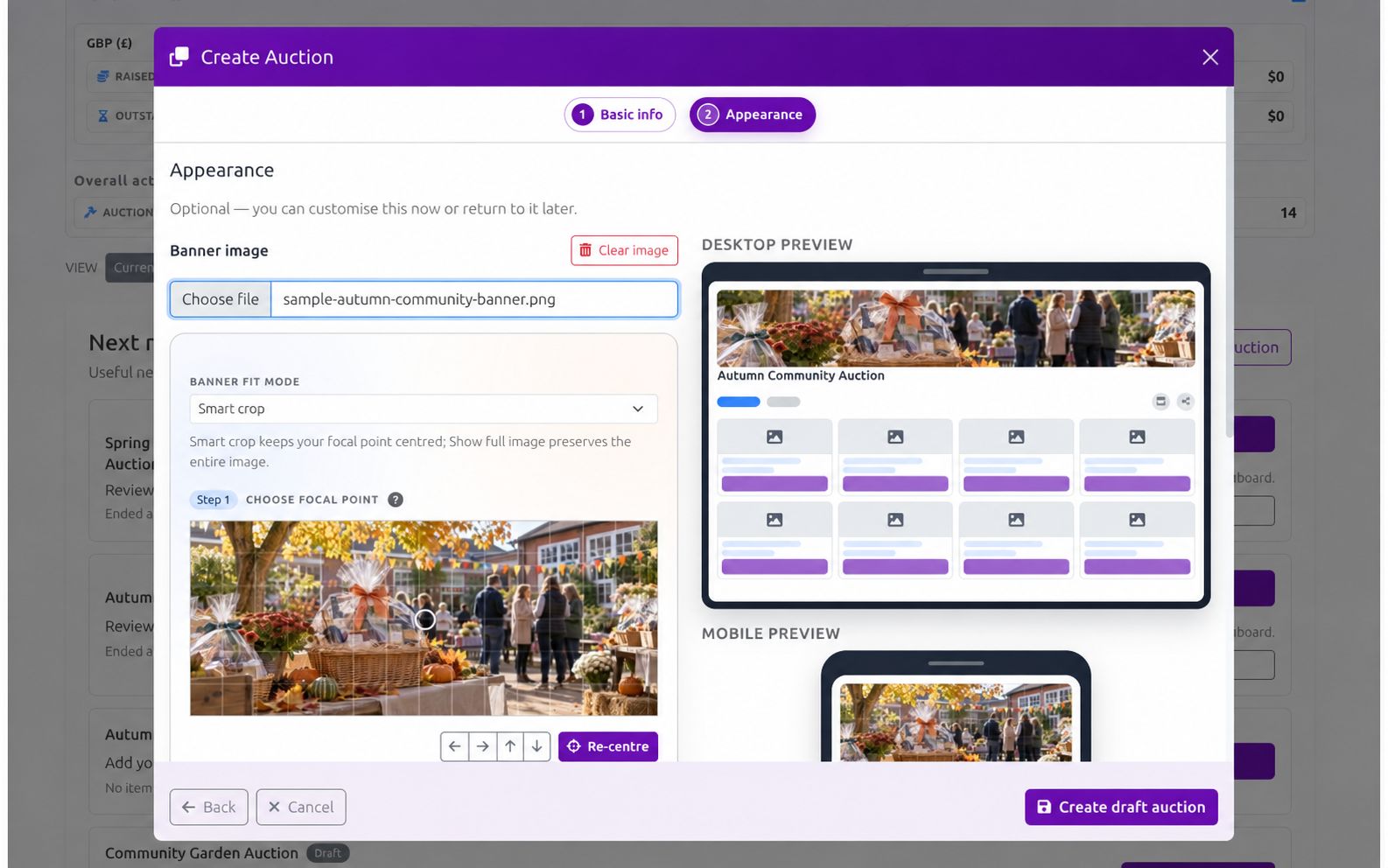
Select Customise appearance, then choose a supported Banner image smaller than 10 MB. Use the desktop and mobile previews to check the result. Select Clear image if you want the auction page to have no image.
Choose the header composition that suits your image and event:
- Banner places the image across the top of the auction page. It works well with a wide event graphic or photograph, especially when the image has room for a title.
- Image + profile side by side places the image beside the auction details on wider screens and stacks them on mobile. It suits a photograph, logo or artwork that should sit alongside a longer event description. This layout shows the full image at its natural aspect ratio; choose an image that works without cropping.
In the form, prepare or clear the Banner image and set its fit and focal point first; the Default item layout comes next, followed by header composition and its title controls. Preparing the image first lets you judge how it looks in each arrangement. The chosen composition determines which title choices appear, and the other layout's choice stays saved. If you clear the image, the title sits above the details and an Overlay choice is kept for when you add an image again.
Your saved Banner fit and focal-point adjustments are retained if you switch layouts and return to Banner. The side-by-side image uses its full aspect ratio rather than applying the Banner crop and zoom.
Screenshot TODO: Show the Appearance step with Image + profile side by side selected, its title choices, and the matching desktop and mobile previews.
Under Banner fit mode, choose the treatment that suits the image:
- Smart crop fills each banner area. It can crop the edges on different screen shapes, so click the important subject to set the focal point, then use the zoom and adjustment controls if needed. This works best for a photograph with one clear subject and no essential text near an edge.
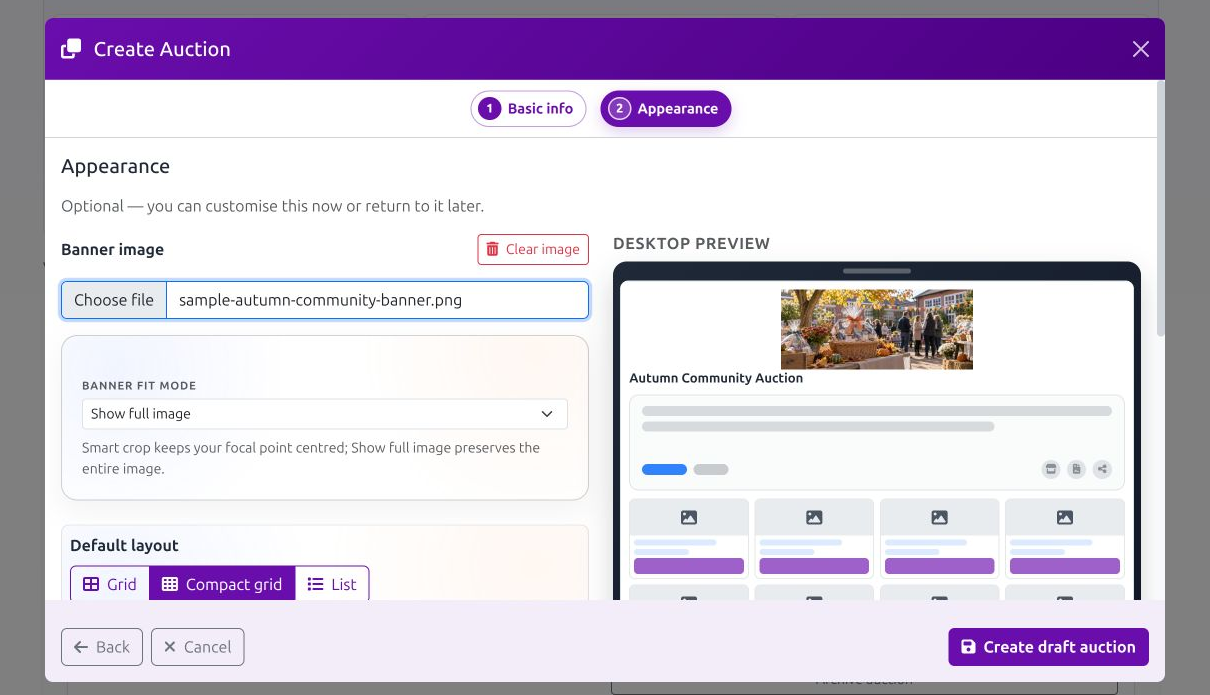
- Show full image preserves the whole image and centres it. It is safer for artwork, logos or text, but blank space may appear around it and the image may look smaller when its proportions do not match the banner area.
Choose the rest of the appearance
- Default layout chooses Grid, Compact grid or List for the initial item view. Visitors can still switch views.
- Colour scheme sets the auction page colours.
- Title display depends on the selected header layout. For Banner, choose Overlay, Under or Not Shown. For Image + profile side by side, choose Show title to place it above the auction details beside the image, or Hide title. Each layout remembers its own choice when you switch between them, so changing the header does not replace the other layout's title setting.
The desktop and mobile panels are previews of one saved appearance, not separate versions. Check both before selecting Create draft auction or Update.
To configure the separate shared-screen layout, open the Event Display tab in Appearance. Its title, header and Light/Dark settings are independent of both View Auction layouts. See Use Event Display at an in-person event for details.
Duplicate carefully
Duplicate opens a pre-filled Duplicate Auction form. Review the title, URL path, description, terms, appearance and every copied item, then select Create draft copy. Look for old event details, sponsors, unavailable prizes and collection restrictions.
You may choose a different currency for the copy. Copied prices keep the same numbers with no currency conversion, and the source auction is unchanged.
Your next step
Saving creates or updates the draft; it does not schedule the bidding window. Add prizes with Manage items, then use Schedule and launch when the details and items are ready.