Start with the auction totals
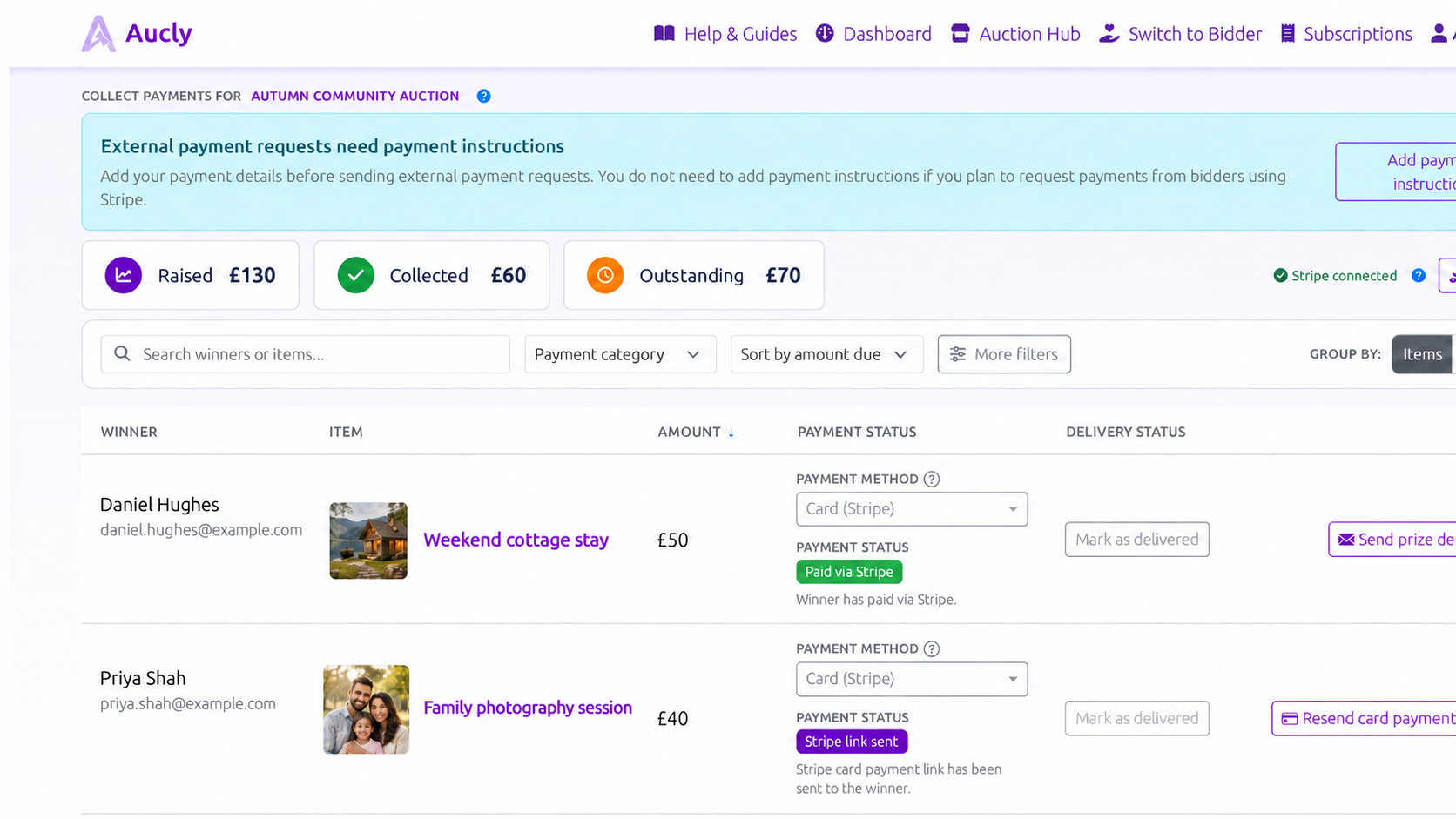
After bidding ends, open Collect Payments. Raised, Collected and Outstanding show totals in the auction's currency. Aucly does not convert these amounts into your organisation's default currency or any other currency.
Use Items to work through one lot at a time. Use Winners to combine one person's items into a single payment request. Search, filters and Sort by help you find records that still need action.
Track the payment states
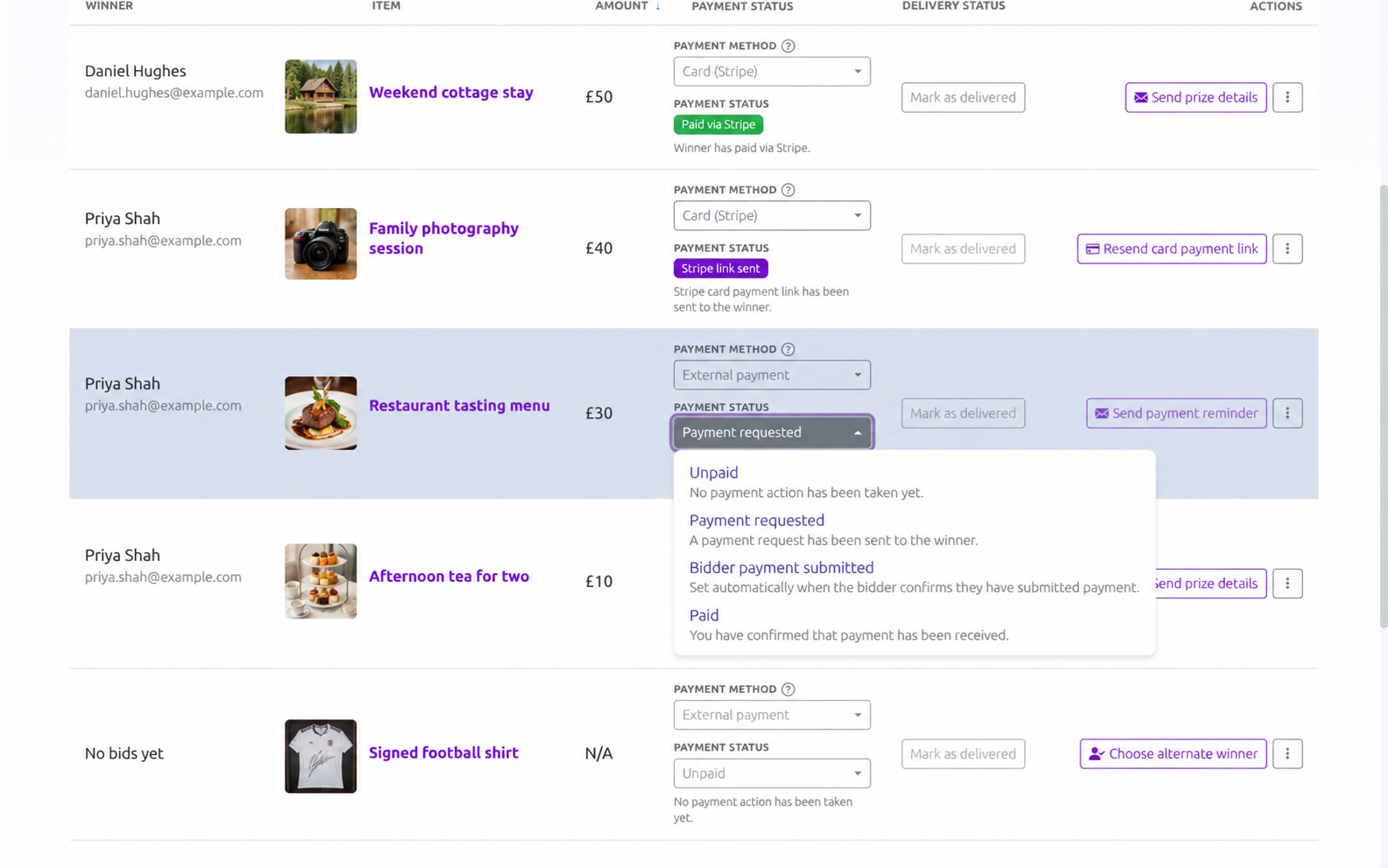
For External payment, the four payment states describe where each item is in the collection process:
- Unpaid means no payment request has been sent.
- Payment requested means the request has been sent to the winner.
- Bidder payment submitted is set automatically when the winner uses I have submitted my payment in the request.
- Paid means you have checked the bank account or other payment service and confirmed receipt.
Choose External payment (outside Aucly) for bank transfer, cash or another service. Before sending a request, use Add payment instructions to save the organisation-wide instructions that the winner needs.
Bidder payment submitted does not mean you have received the money. Check the relevant account yourself, then change the status to Paid and select Save only after confirming receipt.
Open the payment status to see the available states and the meaning of each one.
The instructions belong to the organisation and apply to every external payment request. Stripe card-payment links do not use external payment instructions; they require a connected Stripe account instead.
Card payments through Stripe
When Stripe is connected, set Payment method to Card (Stripe) and save. Review the included items and Total to pay under Send card payment link, then select Send payment link. The status becomes Stripe link sent, then Aucly changes it to Paid via Stripe after Stripe confirms payment.
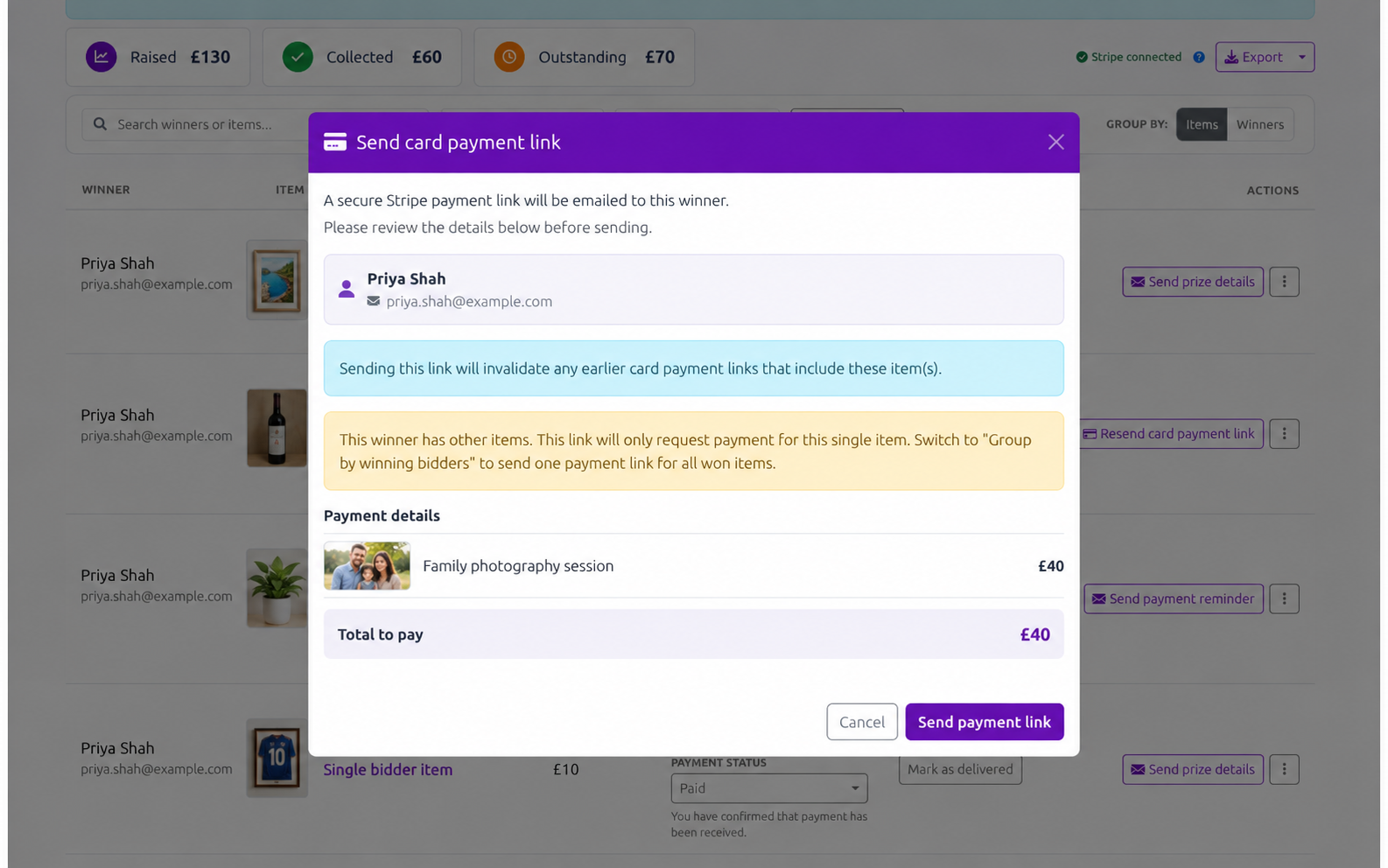
Aucly sets Paid via Stripe automatically. Use Paid only for money confirmed outside Stripe.
Withdraw or replace a winner
Lots with no current winner, including lots with no bids or a reserve that was not met, remain available for review. Use Choose alternate winner if you agree a sale after the auction.
Use Mark as withdrawn when the current winner will not complete the purchase. When you select Choose alternate winner, you can choose Another bidder on this item, Participant from any of your auctions or Someone else.
Enter the amount agreed with the alternate winner in the auction's currency. Assigning them makes them the current winner and starts payment and delivery tracking afresh, but retains the original result and bidding history. Reinstate original winner reverses this when allowed.
A withdrawn item with no replacement remains available under Items and in the Items without a current winner group. Payment actions are disabled with Winner has withdrawn until you assign or reinstate a winner.
Review history and complete handover
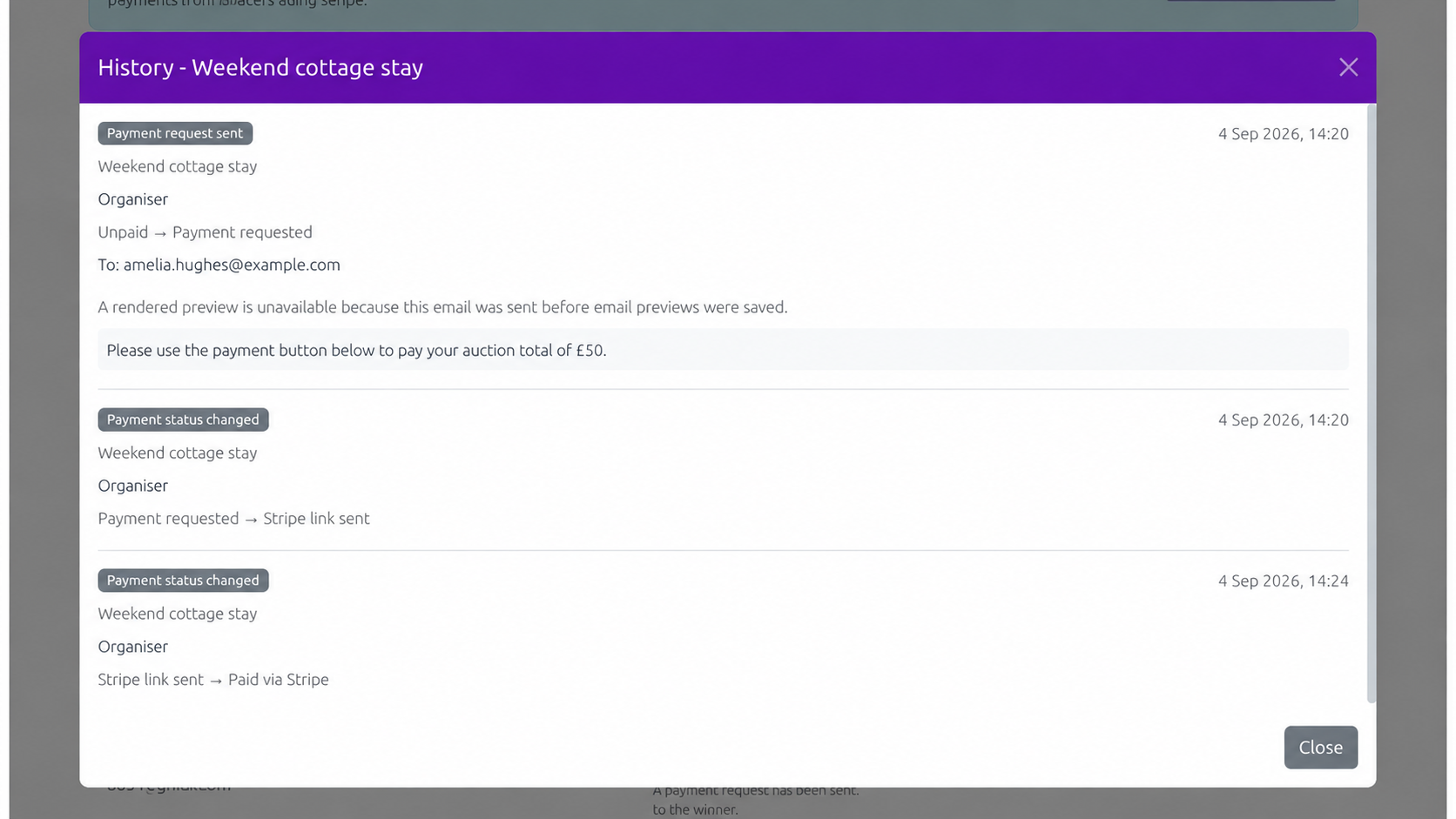
Open History for a record of payment, winner, email and delivery changes. Sent-email entries can include the recipient, message preview, attachments and notes, so use the history rather than relying on the current status alone.
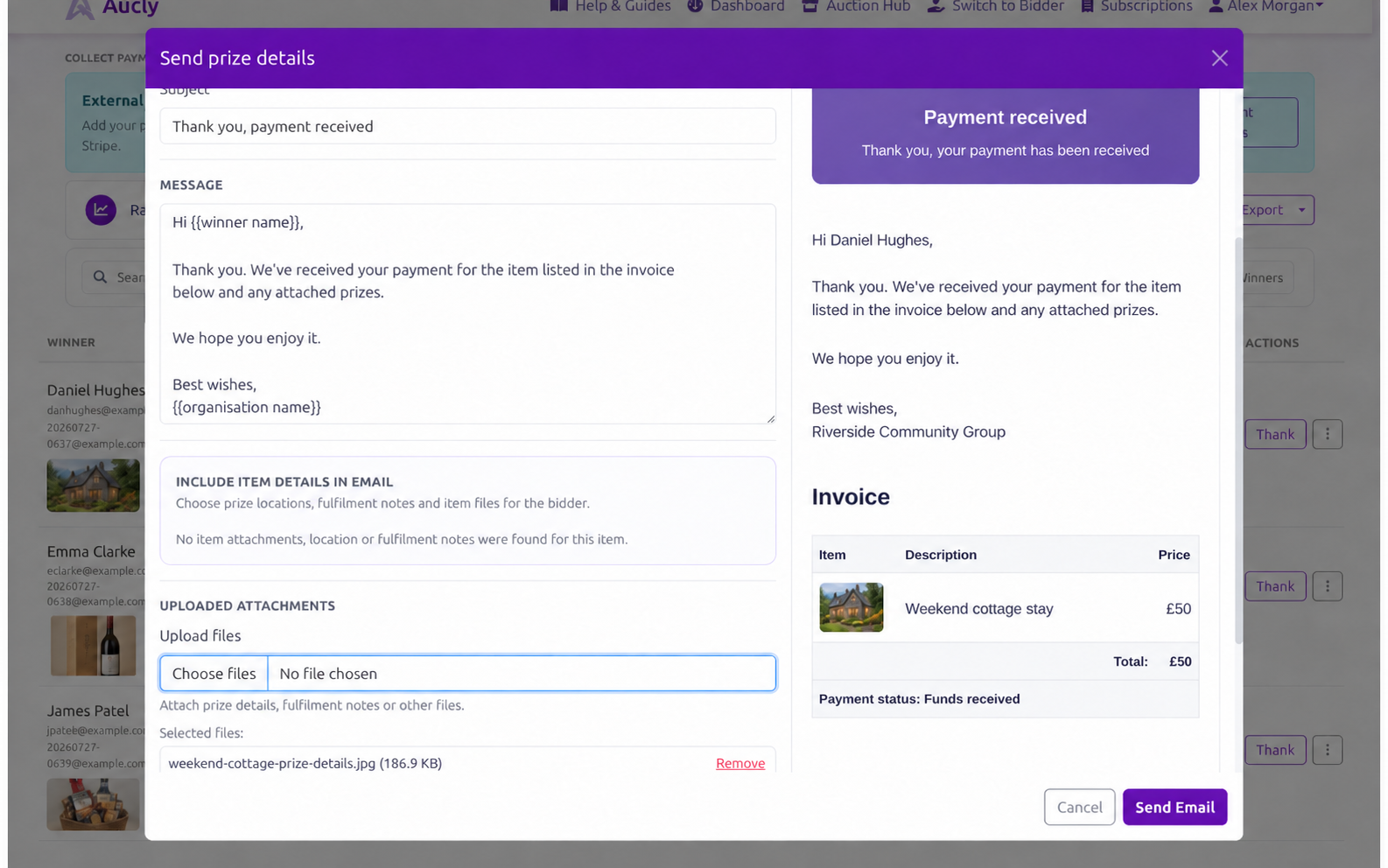
After payment is confirmed, Send prize details can include selected private fulfilment details and attachments. Mark as delivered is unavailable without a current winner and a Paid or Paid via Stripe status. Payment and handover remain separate states.
Choose the email template, review the message and preview, then select any item details or attachments the winner needs. You can also upload a file for this email only. Check the attachment list before sending.
Exporting the auction record
Export offers Winners only and All bidders CSV files. Winners only summarises each item and its collection record. All bidders also includes each bidder's highest bid, bid type and proxy maximum. Export again after final changes.
Your next step
Work through any item that is still unpaid or waiting for delivery. Check History before resending an email or changing a winner, then export the final record when collection is complete.