Set the organisation details
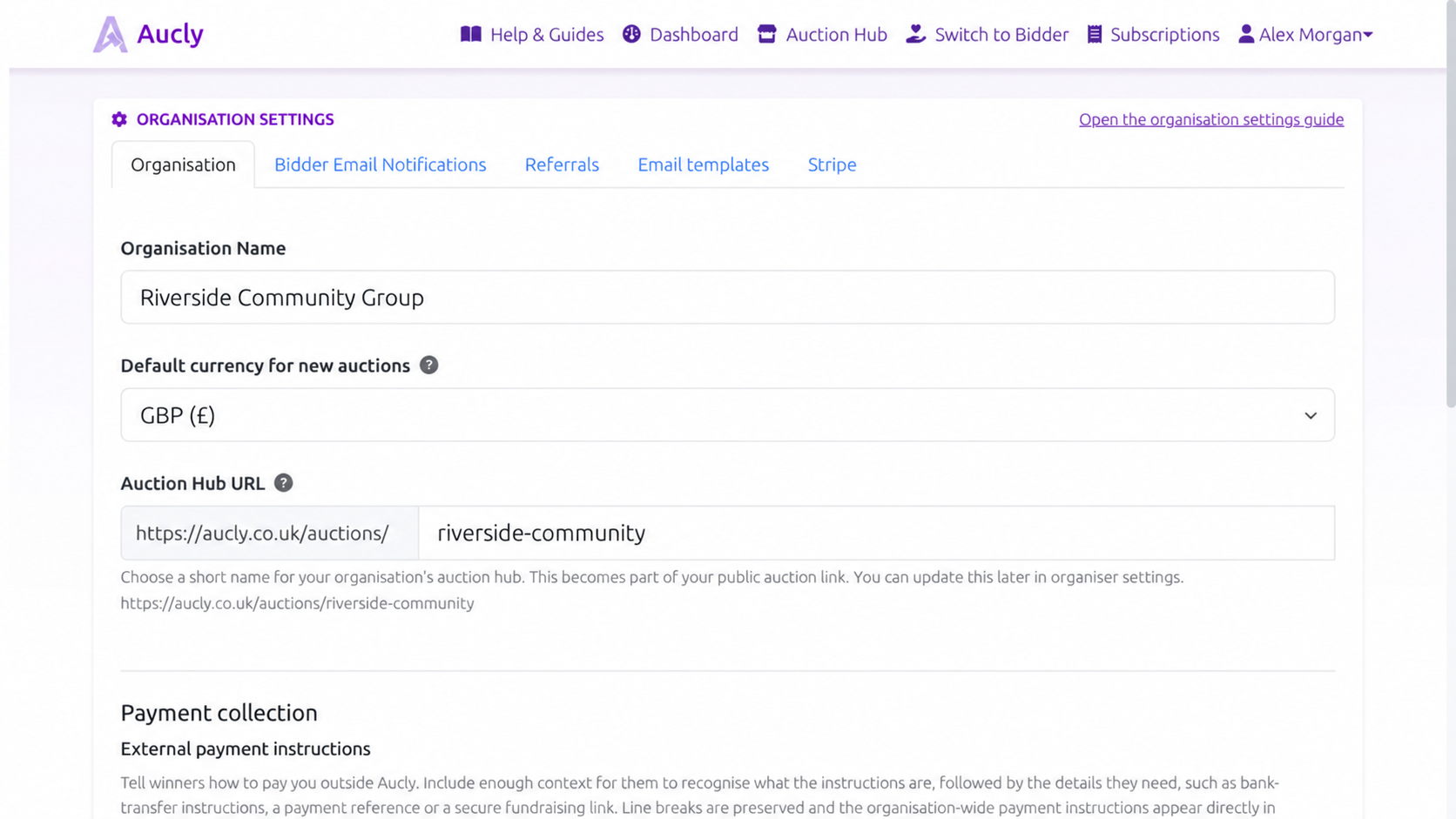
Open Organisation settings and use the Organisation tab for details shared across your auctions:
- Organisation Name is shown publicly on auction pages and in bidder emails.
- Default currency for new auctions offers GBP (£), USD ($) and EUR (€).
- Auction Hub URL is the stable path to your organisation's auctions.
New organisations start with GBP as this default. The currency setting is a default only: Existing auctions keep their current denomination, and you can choose a different currency while creating a new auction. Aucly does not convert existing prices when a default changes.
Choose a short, recognisable Auction Hub URL before sharing it; if you change the path later, earlier links and QR codes stop working. Select Save settings after making changes.
Set your bidder reply email address
Open Organisation settings, then choose Bidder Email Notifications. Add an address that you monitor for bidder questions. It can be the same email address you use to sign in to Aucly or a different shared inbox for your organisation.
Aucly sends auction emails from its own address. Your verified bidder reply email address is used only when a bidder selects Reply, so questions about items, payments, collection or delivery reach your team. It is used for bidder email such as bid summaries, outbid alerts, auction-ending reminders and post-sale follow-ups.
Enter the first address and select Send verification email. Open the link in that inbox to verify it. You need a verified bidder reply email address before you can schedule an auction.
If the message does not arrive, check the address and junk folder, then request another verification email. When changing a verified address, select Verify new bidder reply email address. The previously verified address remains in use while its replacement is pending.
External payment instructions
On the Organisation tab, add External payment instructions before sending payment requests for bank transfer, cash or another method outside Aucly. Include the account or secure payment link, any reference the winner must use, and enough context to recognise the request. Do not include card numbers, passwords or login credentials.
These instructions are organisation-wide and appear in applicable emails through the payment instructions placeholder. Stripe card-payment links are generated separately and do not use this field.
Manage referrals and the Auction Hub profile
If Referrals is available, select Copy and ask the invited organisation to begin with that link. The tab shows the current reward, who is eligible and when it becomes available. Check those details before sharing because the offer may change.
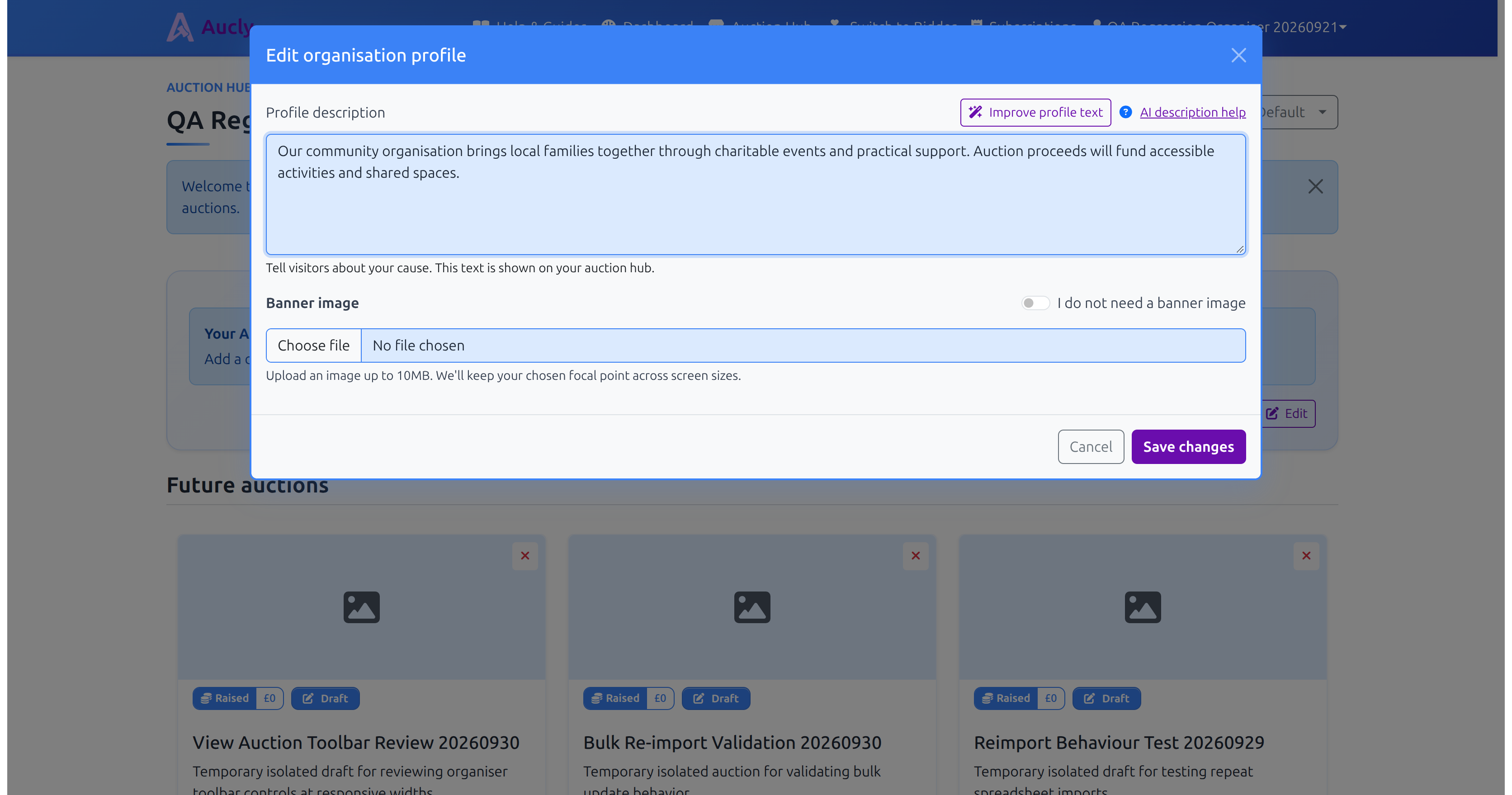
Profile text and the banner image are not Organisation settings. Open your own Auction Hub and select Edit in its profile panel, then update Profile description or Banner image and choose Save changes.
Use the Auction Hub URL when supporters should see several auctions. Each auction's Display on Auction Hub action controls whether it appears there. Hiding an auction from the Auction Hub does not make it private: its direct link remains public.
Your next step
Save the organisation name, Auction Hub URL and bidder reply email address first. Then open your Auction Hub, add a short introduction and check how it looks on desktop and mobile before sharing the link.