Create your first draft
You can build an auction without paying or choosing dates. This short walkthrough takes you from the Dashboard to a draft with its first item.
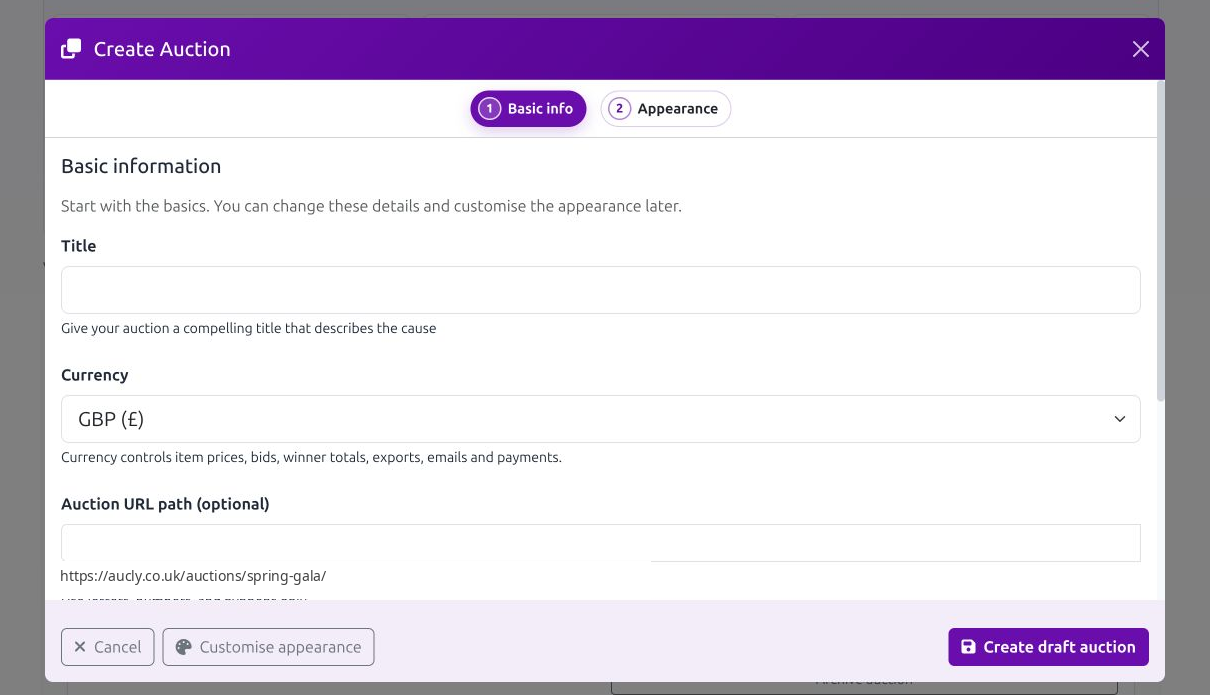
- Open Dashboard and select Create new auction.
- In Basic info, enter a Title and choose the Currency. The URL path, description and terms are optional, but a short description helps people understand the cause.
- Select Customise appearance, upload a Banner image and check the preview. The Create auctions guide explains the banner fit choices and all optional fields.
- Select Create draft auction.
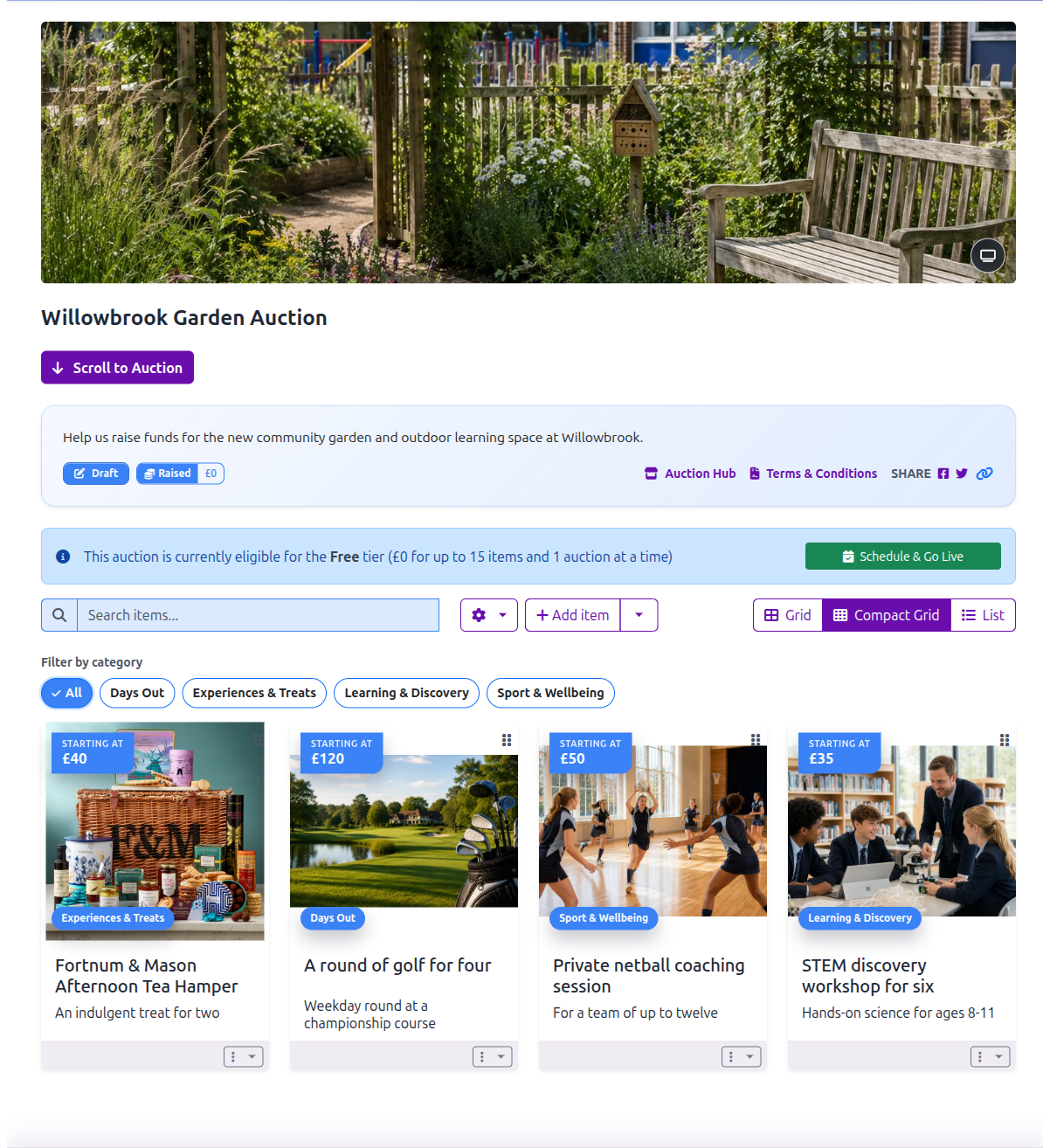
Your new auction is a draft. It has no start or end time and is not visible to bidders, so you can keep working on it without opening the auction by accident.
Add the first item
- On the saved auction page, select Create Your First Auction Item.
- Add a clear title, description, image, starting amount and bid increment.
- Save the item, then check how both the auction and item pages will look to bidders.
Use Manage items for the full item form, including reserve pricing and private Prize admin details.
Schedule when you are ready
Select Schedule & Go Live only after the details are accurate and at least one item is ready. Before scheduling, Aucly also checks your hosting option and verified bidder reply email address.
Scheduling sets the bidding dates; it does not make bidding start early. Follow Schedule and launch for the readiness checks, hosting step and date choices.
Your next step
Add the rest of your prizes with Manage items, then return to Schedule & Go Live when the auction is ready to share.