Check the request before paying
After the auction ends, the organiser sends a request showing the winning items, amount due and payment method. A request may cover one item or several items won by the same account.
Compare the items and total with My Bids. The request uses the auction's currency, and Aucly does not convert the amount. Contact the organiser before paying if the recipient, item, total or instruction looks wrong.
If the organiser offers Stripe
Some organisers offer card payment through Stripe. Select Pay securely now to open Stripe's hosted card page, check the items and total, then complete payment there.
Stripe confirms a successful payment to Aucly and the organiser sees Paid via Stripe. Do not select I have submitted my payment after paying by card.
If the organiser sends a replacement, use the latest payment link. It invalidates earlier Stripe links that contain the same items.
If you pay outside Aucly
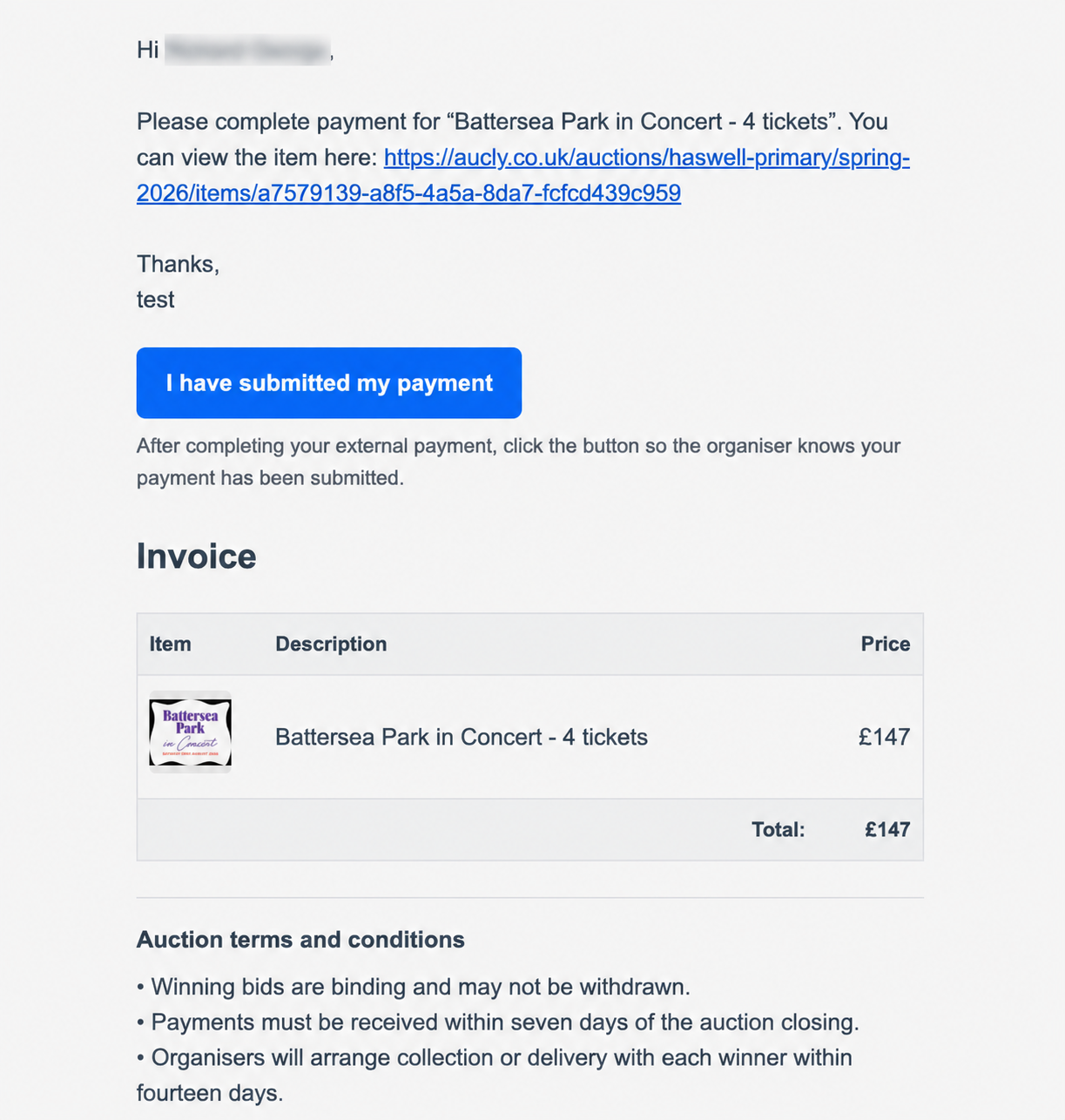
An external request contains the organiser's instructions, such as bank-transfer details, a reference or another payment route. Follow those instructions; the organiser initially sees Payment requested.
After sending the money, select I have submitted my payment if the request provides that button. The status changes to Bidder payment submitted. This does not tell the organiser that the money has arrived. The organiser checks their account and changes the item to Paid only after confirming receipt.
Arrange collection or delivery
Payment and prize handover are separate. Read any collection or delivery instructions, location notes, deadlines and attachments sent by the organiser. Contact the organiser directly if you need to change an arrangement or have not received the expected details.