Let Aucly bid up to your maximum
When you Set a new maximum, you tell Aucly the most you are willing to pay. Aucly bids on your behalf only as much as needed to keep you ahead, following the item's Increment.
Your maximum stays private. Other bidders see the current winning amount, and you may win for less than your maximum if nobody else bids that high.
Example: a £20 maximum
Suppose the current bid is £10, the next amount is £12 and the increment is £2. You enter a maximum of £20.
- Aucly can place £12 for you rather than jumping straight to £20.
- If another bidder reaches £14, Aucly can answer with £16.
- It continues only as needed and never bids above your £20 maximum.
The screenshot and example use pounds. Other auctions may use pounds, US dollars or euros. Aucly does not convert bids between currencies.
If another maximum is already higher
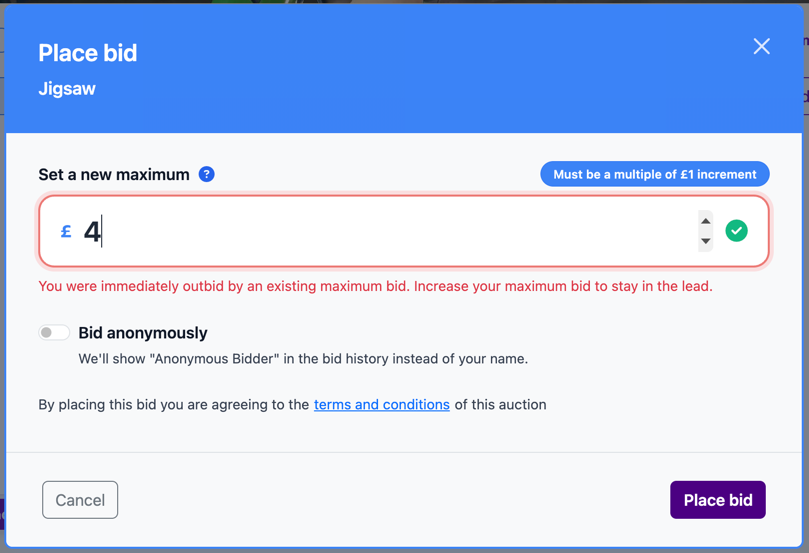
An earlier bidder may already have set a maximum that keeps them ahead. Your bid can therefore be accepted but outbid immediately. Aucly shows:
You were immediately outbid by an existing maximum bid. Increase your maximum bid to stay in the lead.
Use the new minimum shown in the bid window. Increase your maximum only if you are comfortable paying that amount. Your accepted bid still appears in My Bids as Outbid.
When two maximums are equal, the maximum entered first stays ahead. A later bidder must enter an amount above the minimum shown to take the lead.
While bidding remains open, select Modify Bid on the item to raise your maximum. You cannot lower a committed maximum or change it after the auction ends.
Your next step
Return to the item and decide the most you would be comfortable paying. Enter that amount as your maximum, then use My Bids to check whether you are winning or have been outbid.