Create an account when you are ready to bid
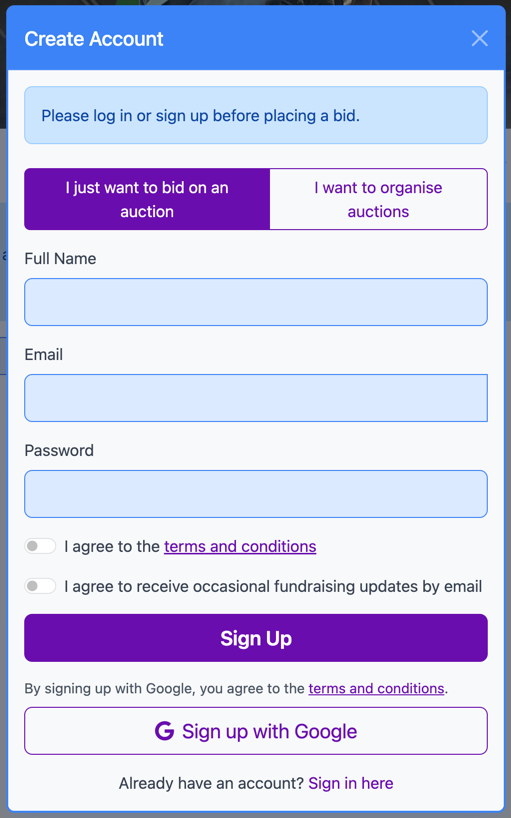
You can browse an organiser's auction while signed out. When you select Place Bid, Aucly opens Sign In and says Please log in or sign up before placing a bid.
- Select Sign up here to open Create Account.
- Choose I just want to bid on an auction.
- Enter your Full Name, Email and Password, accept the terms, then select Sign Up.
- Return to the item and check your amount before selecting Place bid.
Creating an account does not place your bid. A bid appears in My Bids only after you submit it and Aucly accepts it.
Verify an email-and-password account
Aucly sends a verification email after registration. Select Verify my email address in that message. If it does not arrive, check your junk folder and the address on your account before requesting another message with Verify my account.
An expired or already-used link cannot be used again. Request a fresh verification message instead.
You can return to the auction while verification is pending. If you prefer, Sign in with Google creates or opens an account without a separate verification email.
Sign in again
Use the same account for every return visit so your earlier activity remains in My Bids. Select Forgot password? if you cannot sign in with your password.
After signing in or resetting your password, use the organiser's shared auction link to return to the item you wanted. Review the amount again because the current price may have changed.