A charity golf day gives you a useful starting point for an auction: an event people have committed to, a cause they understand and a reason to get in touch before the day.
Putting the bidding online also lets people take part without playing golf. A parent, colleague or supporter who cannot attend may still want to bid for a meal, an experience or a round at a favourite course.
The auction needs its own small plan. Decide when bidding will open and close, who will remind people, and how prizes will reach their winners. Those decisions matter more than making the catalogue enormous.

Fit the auction around the day
Start with the event timetable. If players will stay for a meal or presentation, that may give you a convenient moment for a final reminder. If most people will leave straight after their round, a later online closing time may be easier to communicate.
Neither option is automatically better. Choose a deadline people can understand and repeat the date and time wherever you share the auction. Avoid closing during a part of the day when your likely bidders are busy playing or travelling.
Give one volunteer responsibility for the auction. They can coordinate the listings, check the venue’s internet access and brief whoever is making announcements. Other volunteers can still help with donations and collection.
Choose prizes for players and other supporters
Rounds of golf and golf-related experiences can fit the audience well, but the catalogue need not be limited to them. Restaurant vouchers, family activities and local experiences give non-playing supporters a reason to browse too.
For a donated golf round, confirm the number of players, permitted days, expiry date, booking process and any handicap or membership requirements. State whether extras such as a buggy or food are included. A prize becomes much easier to assess when bidders do not have to guess what they are buying.
Ask donors for these details before opening bidding. Our PTA prize-sourcing guide includes adaptable request messages and a confirmation checklist; the same approach can be used by a charity or golf-day committee.
Let people browse before they arrive
Opening bidding before the event gives supporters time to look through the prizes and decide what interests them. Choose the lead-in period according to how ready your catalogue is and how often you can reasonably communicate with your audience.
At The Lingfield Foundation, an online auction alongside its Golf Day raised £2,500 for access and bursary work. Bidding was open for around a month, and the Foundation shared it with the wider school community as well as event attendees. Read the Lingfield case study.
That is an example of one event, rather than a reason every golf-day auction should last a month. A shorter window may suit a smaller prize list and a different communication plan.
Send guests a useful opening message
Put the auction link in a message people already expect to receive about the day. Include a few prizes and the cause, rather than sending an unexplained link.
Our charity golf-day auction is open.
We’re raising money for [cause/project], with prizes including [golf prize], [experience] and [family or local prize]. You can browse and bid before the day, and you don’t need to be playing to take part.
Bidding closes at [time] on [date]. See the prizes here: [auction link].
Please share the link with friends and supporters who might like to join in.
Send a version to your wider supporter list too, using the communication channels your organisation normally uses. Explain that attendance is not required and make any collection restrictions clear.
Make bidding straightforward at the venue
Check mobile reception and guest Wi-Fi where people will actually gather. Test the auction link on a phone, and check that a printed QR code takes visitors to the correct page. Include a readable web address so the code is not the only route in.
Place reminders where guests have a moment to use their phones: registration, the clubhouse or the meal tables. Ask the host to mention a few prizes and the closing time, rather than repeatedly interrupting the day.
If online bidding is your chosen method, keep it as the authoritative bid record. Do not accept parallel paper bids for the same lots unless you have a clearly defined process and a platform that supports it. A separate sheet of offers can leave two people believing they have won.
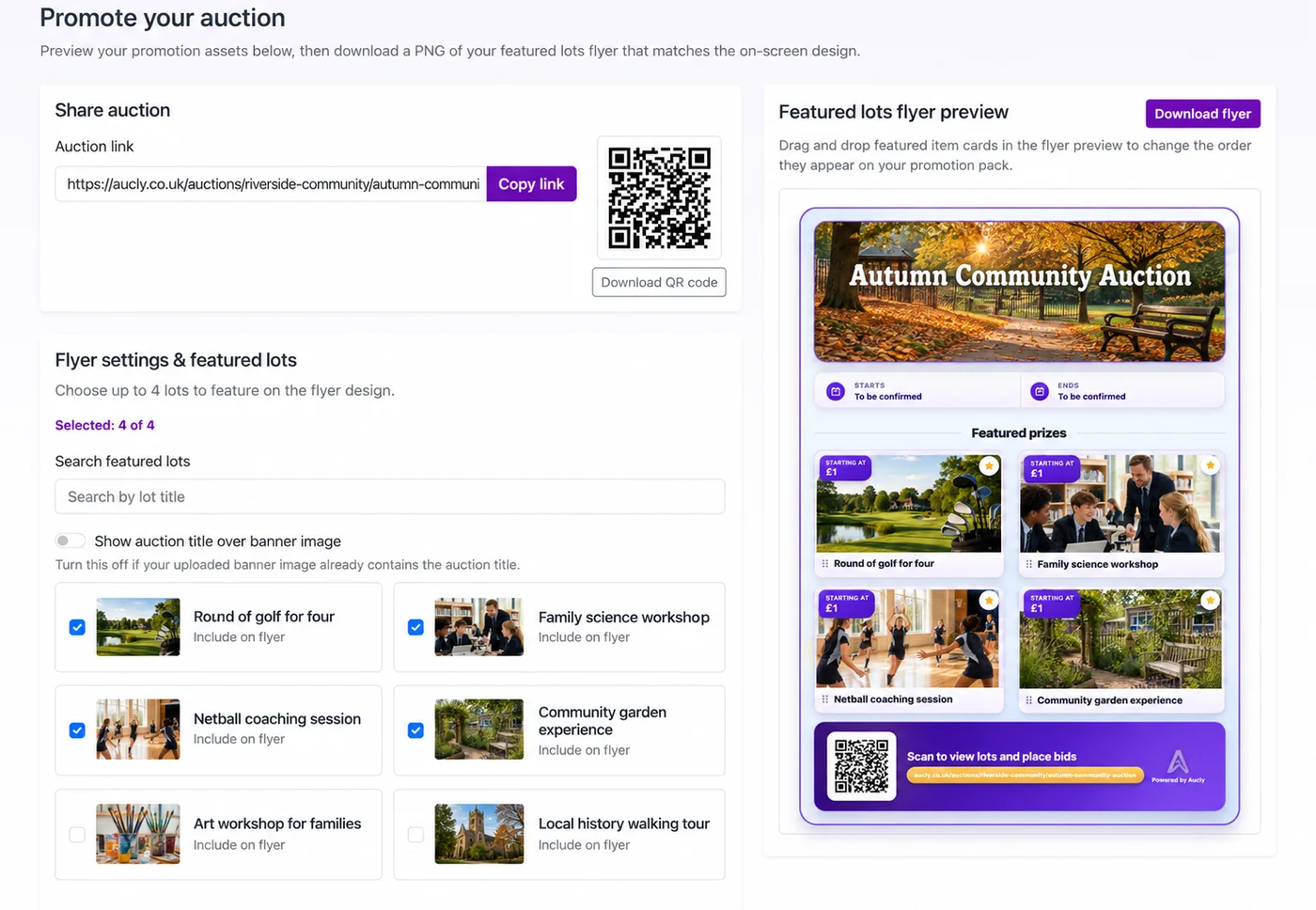
Have a volunteer available to explain the bidding process to anyone who needs help. Do not promise that the software works offline or that a QR code removes the need to register.
An example auction run sheet
This is an illustrative plan for a golf day followed by a meal. It is not the timetable used by Lingfield, and the times should change to suit your event.
| When | Auction task | Who owns it |
|---|---|---|
| Two weeks before | Confirm the initial prizes and their conditions; check the auction page on a phone. | Auction organiser |
| One week before | Open bidding and send the link to guests and wider supporters. | Communications volunteer |
| Two days before | Highlight a golf prize and a prize for non-players; repeat the deadline. | Communications volunteer |
| Registration | Display the auction link and QR code; explain that bidding is online. | Registration team |
| Before the meal | Mention a few lots and the closing time. | Host |
| Thirty minutes before close | Give a final reminder to guests and online supporters. | Host and communications volunteer |
| After bidding closes | Check winners and amounts due; send payment and collection instructions. | Auction organiser |
| Following days | Confirm outstanding payments, arrange remaining deliveries and thank donors. | Auction organiser |
If bidding will continue after guests leave, make that explicit. Do not announce winners at the meal for lots that are still open online.
Use a clear closing reminder
People who are enjoying the event may not be watching the clock. Give them the link again, including in any message sent to people who are elsewhere.
Our golf-day auction closes at [time] today. You can still bid for [prize] and [prize], whether or not you’re at the event.
Check the latest bids here: [auction link]. Thank you for helping us support [cause].
For an announcement in the room, direct people to the printed link or QR code. Do not describe lots as having no bids or being below their usual value without checking first.
Plan payment and prize collection before the finish
Decide who will contact winners, which payment methods you will offer and where physical prizes will be kept. Tell people if a voucher will be emailed or if they need to arrange redemption directly with its donor.
Only release prizes once payment is confirmed under your organisation’s process. Some winners may not be at the venue, so provide a realistic alternative to collection that evening and state any delivery costs before they bid.
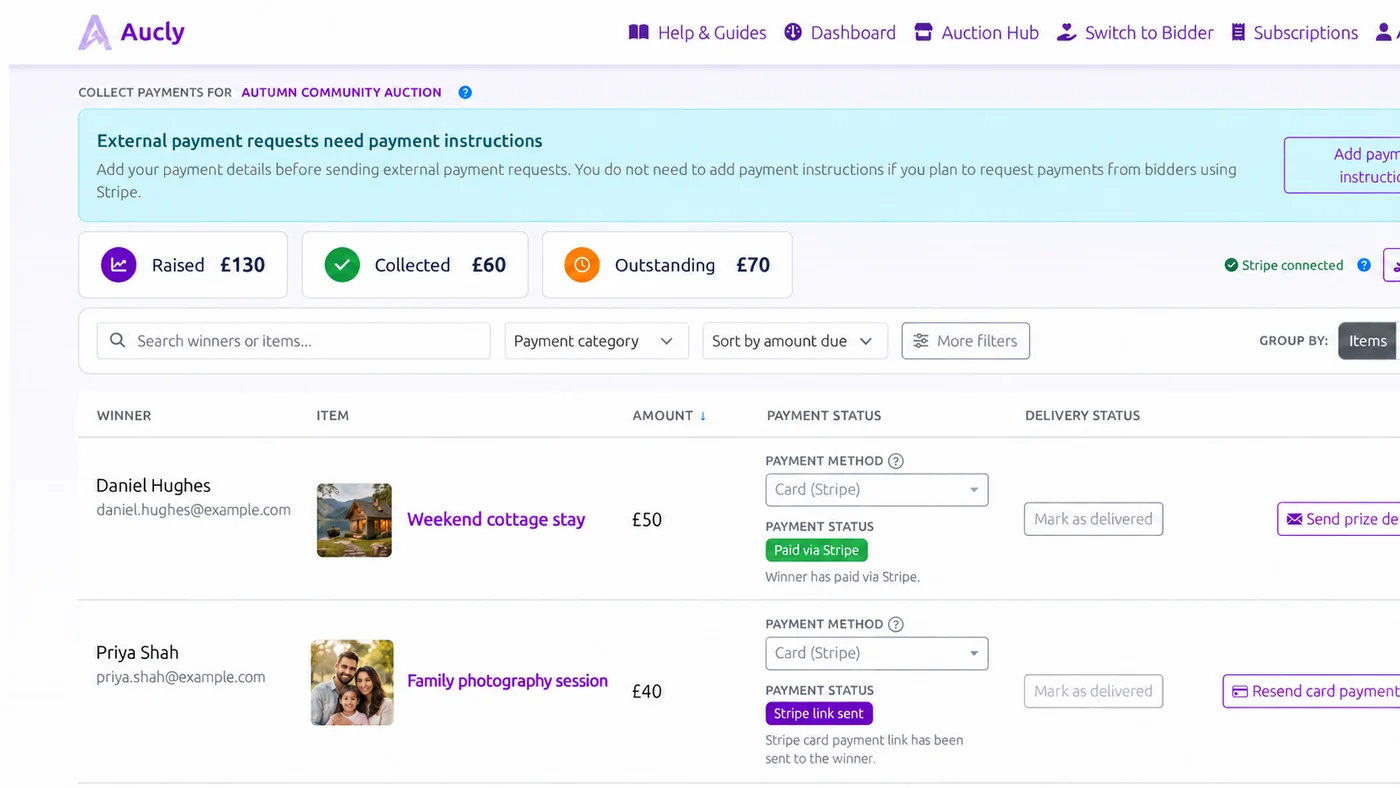
When reporting the result, distinguish final winning bids from money actually collected. Thank donors after the event and keep the useful contacts and prize notes for your next fundraiser.
Build the auction alongside your event preparations
Aucly lets you create an auction, add donated prizes and share the bidding link with guests and supporters. See how online auctions can support golf clubs and charity golf days, and use the payment collection guide to follow up with winners. For charity dinners, galas and other fundraising events, explore online auctions for fundraising events.
You can start building your auction while the rest of the golf day takes shape. Check current pricing for the item limit and hosting option that fit your event.