Running an online fundraising auction lets supporters browse, share and bid without everyone needing to be in the same hall at the same time.
It is not automatically easy, and it will not guarantee a large total. The right setup depends on how many prizes you have, how warm your supporter base is, and how much volunteer time you can realistically give to prize sourcing, promotion and follow-up.
This practical guide explains how to run an online fundraising auction, from choosing a format and adding prizes to promoting bids, collecting payment and following up with winners.
It is written for UK PTAs, school fundraising teams, small charities, sports clubs, community groups and volunteer-led organisations that want a manageable fundraiser, not a complicated one-off production.
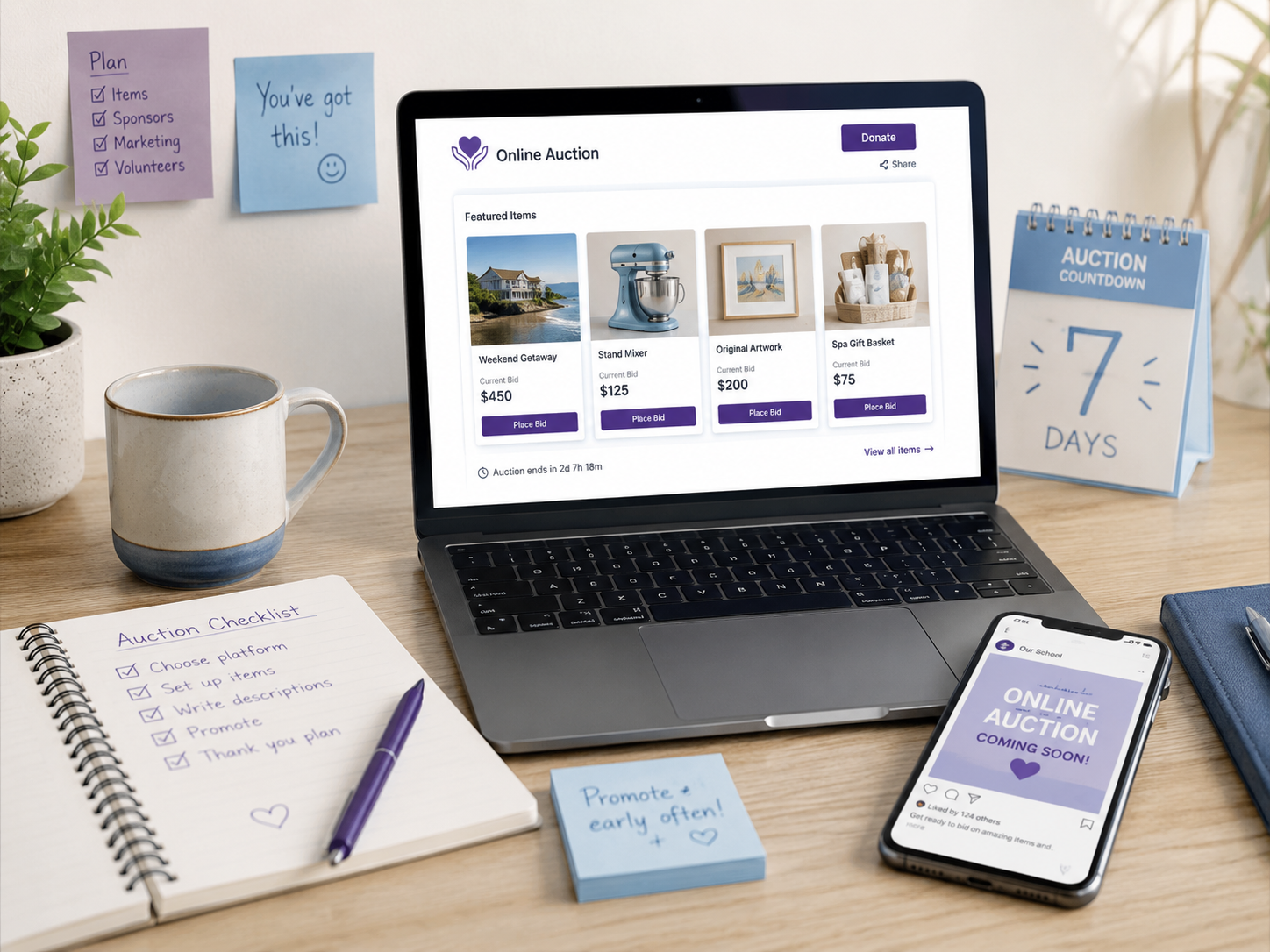
Decide whether an online fundraising auction fits your organisation
Online auctions are most useful when your group has prizes that supporters can understand quickly and a clear way to reach those supporters. They can work especially well for:
- PTAs with donated prizes from local businesses, such as family days out, activity vouchers, restaurant meals or hampers.
- Charities with supporters in different locations, where a single in-person event would exclude people who still want to help.
- Clubs raising money for equipment, trips or facilities, particularly when members can share the auction with friends and family.
- Event committees that want to add an auction alongside a school fair, quiz night, dinner, Christmas fundraiser or summer event.
Step 1: Plan a realistic online auction format
Start with the format that fits your prize list and volunteer capacity. A smaller auction with clear items and regular reminders is usually better than a large auction nobody has time to promote.
Small auction
3–10 prizes, simple promotion and a short duration. Good for a PTA with a handful of strong donated lots.
Medium auction
20–50 prizes, a wider supporter push and more donor coordination. Useful when several volunteers can help.
Event-linked auction
Online bidding before and during a school fair, quiz night, dinner or seasonal fundraiser.
Flash auction
A short campaign around a small number of strong prizes, often with a focused final-day push.
If you are planning an online auction for a PTA, a small or event-linked format is often a sensible first step.

Lee Ho Fook’s Restaurant
Family meal voucher
Step 2: Source prizes supporters will want
Prioritise prizes with clear local appeal. For a school fundraising auction, that often means things families already spend money on or would genuinely enjoy nearby.
- children’s holiday camps;
- soft play or trampoline park vouchers;
- aquarium, farm park, zoo or theatre tickets;
- local restaurant, café or takeaway vouchers;
- beauty, hair, fitness or wellness vouchers;
- hampers from local shops;
- school-related experiences, where appropriate;
- services from parents or local businesses, such as photography, tutoring, gardening, coaching or design.
When asking businesses, be specific. “Would you be able to donate a £25 meal voucher for our school auction?” is easier to answer than “Can you donate a prize?” Explain what you are raising money for, when the auction runs, and how you can thank donors publicly if they are comfortable with that.
For more detail on prize sourcing, see our practical guide to building local partnerships and choosing PTA auction prizes.
Step 3: Set up bidding and payment collection
Decide this before launch so bidders are not left guessing after the auction closes. In Aucly, organisers can create online auction pages, add lots, share the auction link and accept online bids from supporters.
Aucly supports proxy bidding, so a bidder can enter the maximum they are willing to pay and the system bids for them up to that amount. Organisers can also set starting bids, bid increments and optional reserve prices on items where that is useful.
For payments, Aucly supports card payments through Stripe where enabled. Organisers can also collect payment directly if they prefer, for example by bank transfer, donation page or another process already used by the organisation. Aucly includes a collect-payments workflow, bulk payment request and reminder templates, payment tracking, thank-you emails, alternate winner handling, dashboard metrics and CSV exports for results and bid history.
If card payments are part of your plan, read the Stripe card payments announcement and check the current options on the pricing page.
Step 4: Plan the auction timeline
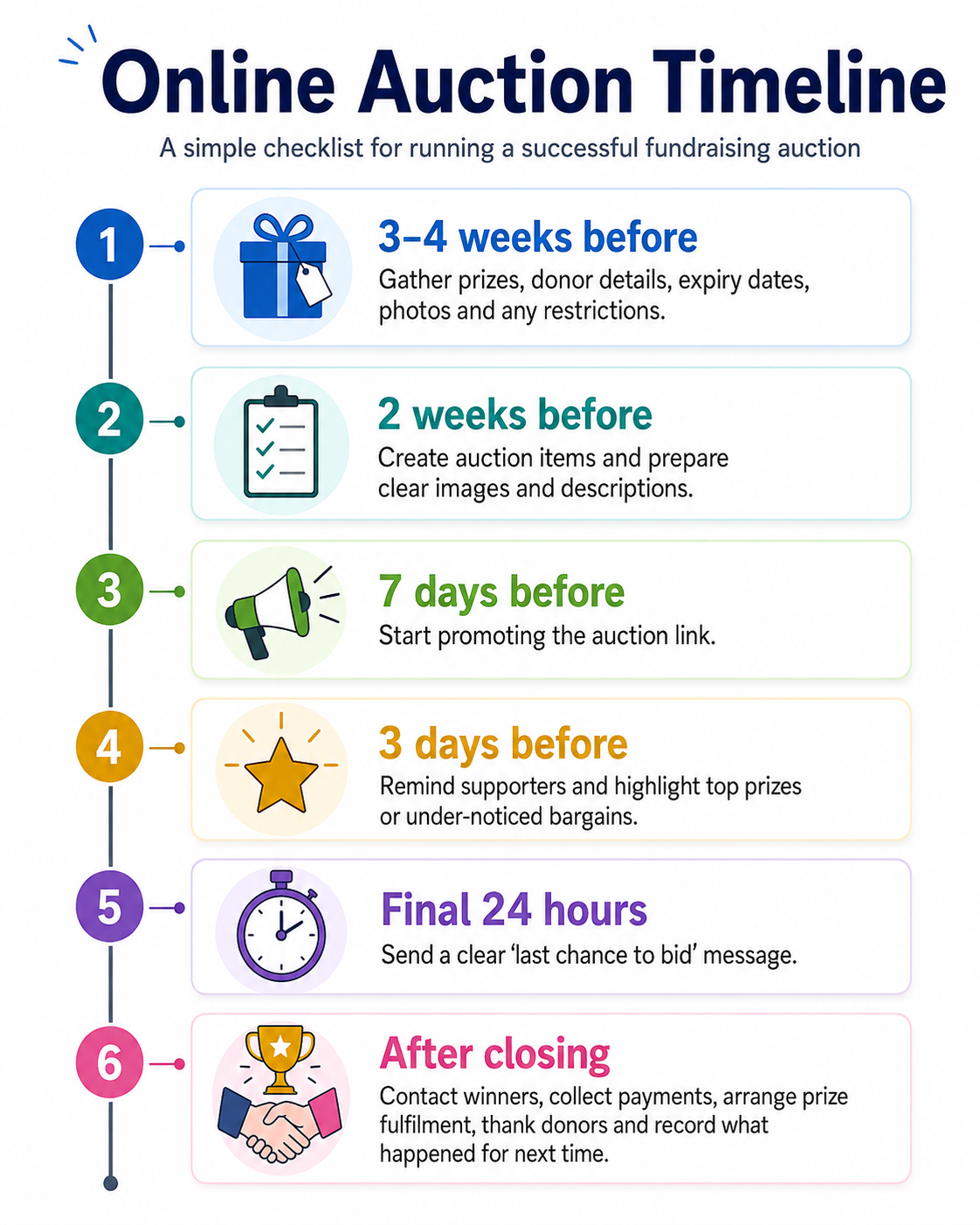
Most small teams need a simple timeline, not a huge project plan. Adjust the dates to fit term time, holidays and other events in your calendar.
Step 5: Add auction items with clear descriptions
Good descriptions reduce questions and make bidding feel safer. State exactly what is included, add expiry dates and restrictions, explain collection or delivery, and include a suggested value where appropriate. Use real photos where possible and avoid over-selling prizes.
Example: family day out voucher
Family ticket for 2 adults and 2 children to Green Valley Farm Park. Valid until 30 September 2026, excluding bank holiday weekends. Voucher will be emailed to the winning bidder after payment. Suggested value: £58.
Example: local restaurant voucher
£40 voucher for The High Street Bistro. Valid for food only, Tuesday to Thursday, subject to availability. Booking required. Voucher can be collected from the school office or posted to the winner.
Example: children’s activity camp voucher
One-day place at a local children’s holiday activity camp for ages 5–11. Valid during the summer 2026 school holidays. Parent or carer must book directly with the provider after the auction. Suggested value: £45.
Step 6: Promote the auction and encourage bidding
A good prize list still needs repeated, practical promotion. Choose channels your supporters already use and keep the message short.
- school newsletter or PTA email;
- WhatsApp class groups, where school or PTA rules allow;
- local Facebook groups;
- Instagram stories;
- posters or QR codes at school events;
- donor businesses sharing the auction with their own followers;
- a clear final-day reminder.
Launch message
Our online charity auction is now live. We are raising money for [project/cause], and local businesses have donated some brilliant prizes, including [prize examples]. Browse and bid here: [auction link]. Bidding closes at [time] on [date]. Thank you for supporting us.
Mid-auction reminder
Quick reminder that our auction is still open. There are family days out, local vouchers and school/community prizes available, with several items still at good value. Take a look and place a bid before [closing date]: [auction link].
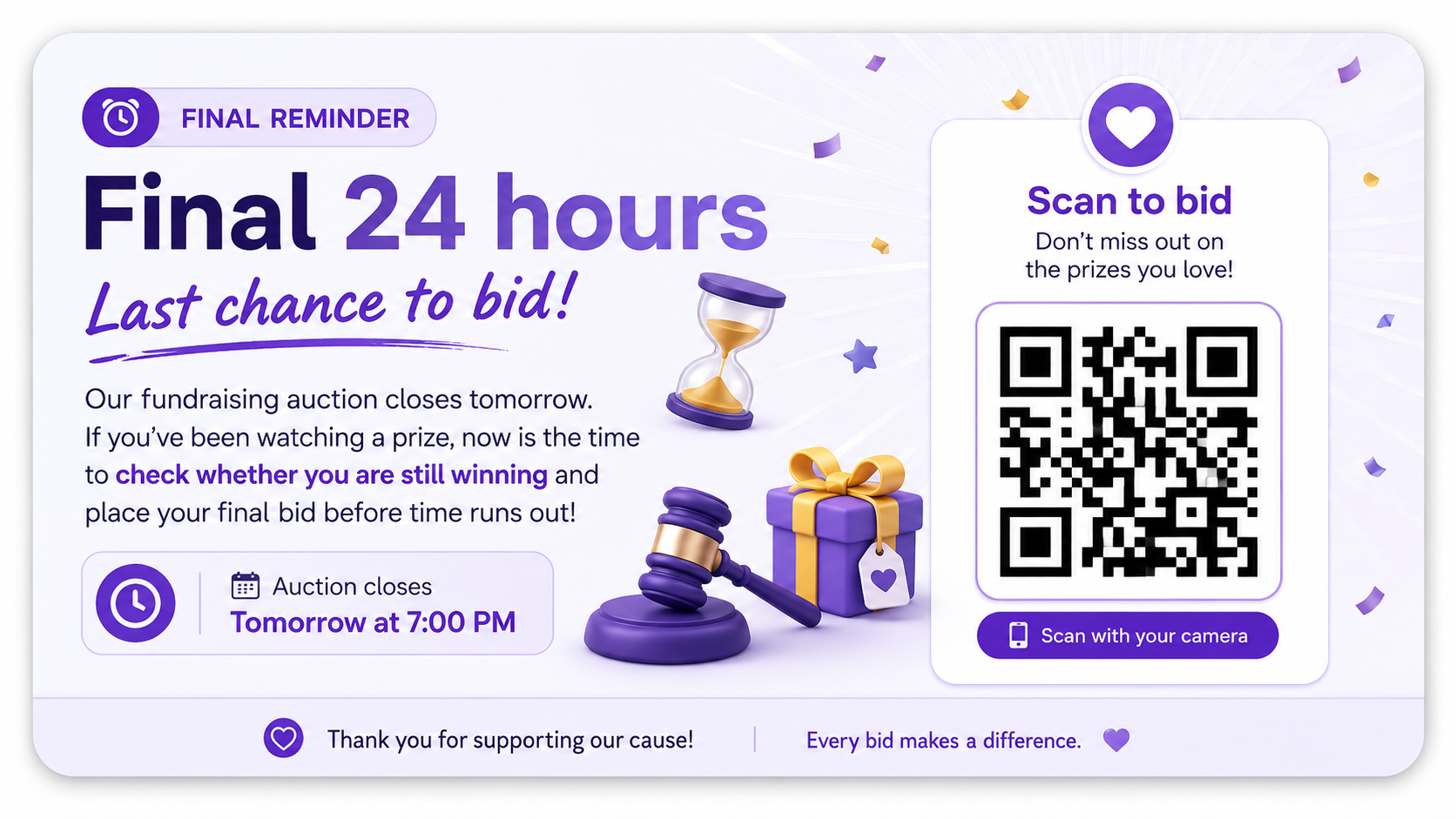
Final 24-hour reminder
Last chance to bid. Our fundraising auction closes tomorrow at [time]. If you have been watching a prize, now is the time to check whether you are still winning. Bid here: [auction link]. Thank you to everyone who has supported the fundraiser.
Step 7: Close the auction, collect payment and follow up
The close matters because this is when bidders become winners, payments need collecting and prizes need matching to people. Agree who owns each follow-up task before the final day.
- Notify winners promptly and include the item name, winning amount, payment instructions and collection details.
- Collect payment through your chosen process, whether that is Stripe card payment in Aucly or direct collection by the organiser.
- Arrange prize collection, email delivery, posting or donor fulfilment.
- Thank donor businesses publicly where appropriate, and privately if public thanks are not suitable.
- Report the amount raised to supporters once payments are confirmed.
- Keep records of winning bids, payments, donor contacts and lessons learned so the next organising team does not start from scratch.
Common mistakes to avoid
- Collecting too many low-interest prizes instead of focusing on items supporters actually want.
- Writing unclear item descriptions that miss expiry dates, restrictions or collection details.
- Launching without a promotion plan.
- Leaving payment collection until too late.
- Not giving donor businesses enough thanks, where public thanks are appropriate.
- Making the auction too complicated for the number of volunteers available.
- Setting unrealistic fundraising expectations before you know the strength of the prize list and supporter reach.
Where Aucly fits
Aucly is a simple online auction platform for UK schools, PTAs, charities and fundraising organisations. It helps organisers run an auction online without building their own forms, spreadsheets or manual bidding process.
You can create auction lots, share one auction link, let supporters bid online, manage winner follow-up and use Stripe card payments where enabled. The How Aucly works page shows the organiser and bidder journey in more detail. Aucly uses flat-fee pricing rather than taking a percentage of the auction total; current plans and item limits are listed on the pricing page.
For PTA-specific examples, see the online auctions for PTAs page, the 7 proven PTA auction tips, and the broader Aucly blog.
Your online auction checklist
A successful online charity auction depends on good prizes, clear descriptions, active promotion and a simple payment process. Keep the format realistic, make bidding easy to understand, and plan the closing admin before the auction goes live.